Understanding FPS Drops
For gamers, FPS (frames per second) is a critical metric that dictates the smoothness of gameplay. FPS drops occur when the number of frames rendered by your device decreases significantly during gaming sessions, leading to lag and stuttering. This can be incredibly frustrating, especially when you're in the heat of battle or trying to complete a challenging level. FPS drops can significantly hinder your gaming experience, making it feel unresponsive and less enjoyable.
In Malaysia, where mobile gaming is immensely popular, FPS drops can be particularly concerning. Many gamers rely on their Android devices for competitive gaming, and any lag can mean the difference between victory and defeat. Understanding what causes FPS drops and how to combat them is essential for any serious player in the Malaysian gaming community.
Common Causes
Several factors can lead to FPS drops on Android devices. Understanding these causes can help you address the issue more effectively:
- Hardware Limitations: Older Android devices may struggle to keep up with the demands of modern games, leading to reduced FPS.
- Background Apps: Running too many applications simultaneously can consume resources, resulting in lag during gameplay.
- System Updates: Sometimes, new updates can inadvertently introduce bugs or performance issues that affect gaming.
Being aware of these common causes can help you take proactive measures to prevent FPS drops during your gaming sessions.
Optimization Techniques
Now that we've identified the causes, let's explore various methods to enhance your Android device's performance and reduce FPS drops:
- Adjust Graphics Settings: Many mobile games allow you to customize graphics settings. Lowering details like shadows, textures, and resolution can significantly improve FPS.
- Device Maintenance: Regularly clearing your device's cache, uninstalling unused apps, and performing software updates can help maintain optimal performance.
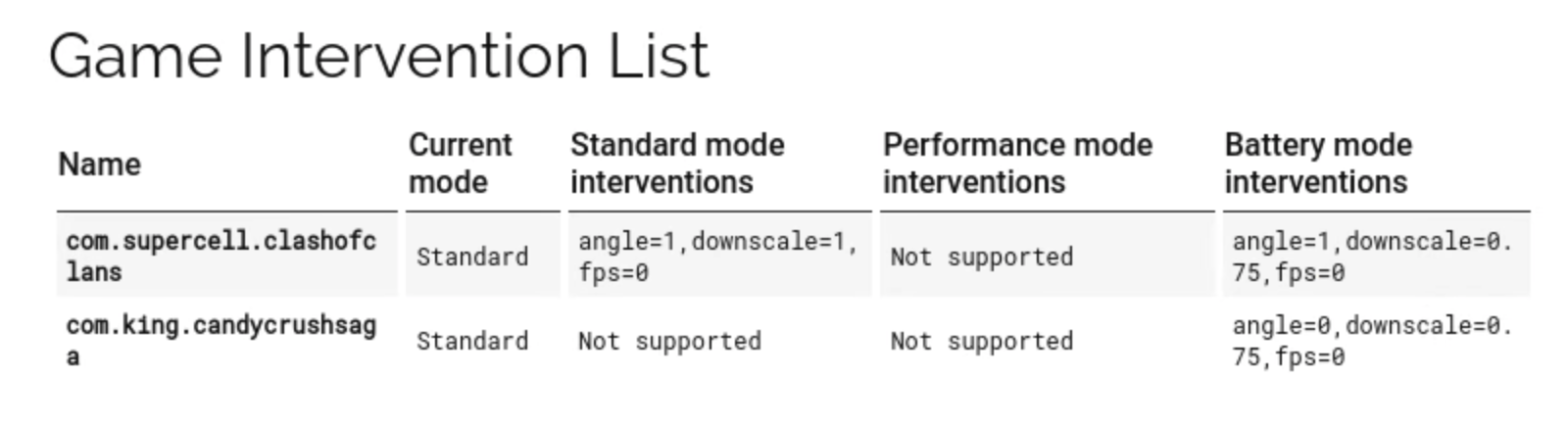
- Use Game Mode: Some Android devices come with a built-in game mode that prioritizes resources for gaming, reducing background activity that might lead to FPS drops.
Adopting these optimization techniques can lead to a more seamless gaming experience, allowing you to focus on your gameplay without distractions from lag or stuttering.
Recommended Apps
To further assist in reducing FPS drops, several apps can help optimize your Android device's performance. Here are some notable options:
- Game Booster: This app optimizes your device’s performance by freeing up RAM and closing unnecessary background tasks.
- CCleaner: A popular cleaning tool that helps free up space and optimize device performance by clearing junk files and managing apps.
- GFX Tool: Designed specifically for gaming, this app allows you to customize graphics settings for specific games to improve FPS.
- Greenify: This app helps to hibernate background apps that you’re not actively using, conserving resources for your games.
These applications can significantly improve your device's performance, ensuring that you can enjoy a lag-free gaming experience.
Conclusion
In summary, FPS drops on Android can be a significant issue for gamers, particularly in Malaysia where mobile gaming culture thrives. By understanding the underlying causes and implementing effective optimization techniques, you can reduce FPS drops and enhance your overall gaming performance. Remember to adjust your graphics settings, maintain your device, and leverage helpful apps for the best results. By taking these steps, you can enjoy a smoother, more enjoyable gaming experience.
FAQs
- What causes FPS drops on Android? FPS drops on Android can be caused by hardware limitations, background applications, and sometimes even system updates that affect performance.
- How can I improve gaming performance on my Android? Improving gaming performance can be achieved through optimizing graphics settings, performing device maintenance, and using performance-enhancing apps.