Introduction
In 2026, the gaming community in Malaysia and Southeast Asia has flourished, with a growing number of players engaging in mobile gaming on Android devices. The significance of game speed cannot be overstated, as slow performance can lead to frustrating experiences and can hinder competitive gameplay. With a vibrant local gaming scene and an increase in mobile game development, it's essential for Malaysian gamers to maximize their Android devices' performance. This article will explore the top five ways to improve game speed on Android, ensuring that you spend more time enjoying your favourite games and less time battling lag and low FPS.
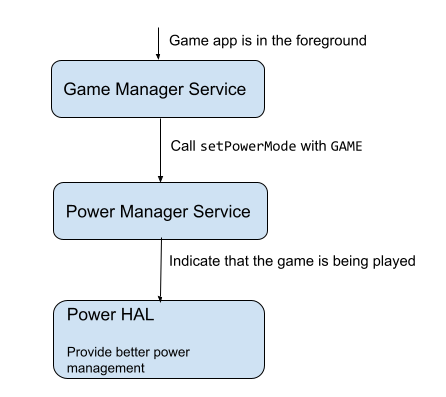
Tips for Improving Game Speed
To enhance your gaming experience on Android, consider implementing the following optimization techniques. These adjustments can lead to significant improvements in gaming performance, allowing for smoother gameplay and reduced lag.
Adjusting Device Settings
One of the simplest ways to improve game speed on your Android device is by adjusting its settings. Here are some crucial areas to focus on:
- Reduce Graphics Quality: Most games allow you to adjust the graphics settings. Lowering the resolution and texture quality can lead to a noticeable increase in FPS.
- Enable Developer Options: By navigating to the Developer Options in your settings, you can adjust the Window Animation Scale, Transition Animation Scale, and Animator Duration Scale to 0.5x or even off, reducing the time it takes for animations to load.
- Turn Off Background App Refresh: Disabling this feature will prevent apps running in the background from consuming resources while you play.
These simple adjustments can free up valuable system resources, leading to a smoother gaming experience.

Optimizing Background Processes
Another effective method to improve game speed on Android is by managing background processes. Many times, background applications consume precious resources, which can lead to lag during gameplay. Here are some tips:
- Close Unused Apps: Regularly check your recent apps and close those that you are not using. This can free up RAM and CPU resources.
- Use Task Killers: Consider downloading a reputable task killer app to help manage and terminate background processes that are not in use.
- Limit Notifications: Disable notifications for apps that are not crucial to your gaming experience to reduce interruptions and save resources.
By optimizing background processes, you'll create a more dedicated environment for your games to run smoothly.
Recommended Apps
Besides adjusting your device settings and managing background processes, there are several apps available that can help optimize game performance on Android devices. Here are some top recommendations for 2026:
Top Performance Apps for 2026
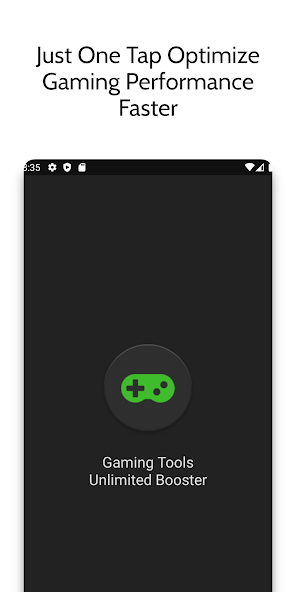
- Game Booster: This app specializes in optimizing device settings for gaming. It automatically adjusts CPU usage, RAM allocation, and even network settings for optimal performance.
- CCleaner: Known for its cleaning capabilities, CCleaner also helps manage background processes and clear cache, which can result in better game speed.
- Dr. Booster: This performance booster app is tailored for gamers. It can boost your game speed by cleaning unnecessary background processes and optimizing RAM usage.
Using these apps can lead to enhanced gaming speed and an overall smoother experience, giving Malaysian gamers an edge in competitive scenarios.
Conclusion
Improving game speed on Android devices is crucial for Malaysian gamers seeking to enhance their gaming performance. By adjusting device settings, optimizing background processes, and utilizing performance apps, you can significantly reduce lag and boost FPS in your favourite games. In a world where every millisecond counts, taking these steps can give you the competitive edge you need. Implement these tips today and elevate your gaming experience to new heights!