Introduction
In the competitive world of gaming, particularly in a high-octane battle royale like PUBG Mobile, Frames Per Second (FPS) can make all the difference. For gamers in Malaysia, where mobile gaming is rapidly becoming the norm, ensuring a smooth and responsive gaming experience is crucial. High FPS translates to smoother gameplay, enhanced response times, and ultimately, a more enjoyable experience. As gamers seek to dominate the battlefield, optimizing their devices for peak performance becomes a top priority.
Recommended Settings
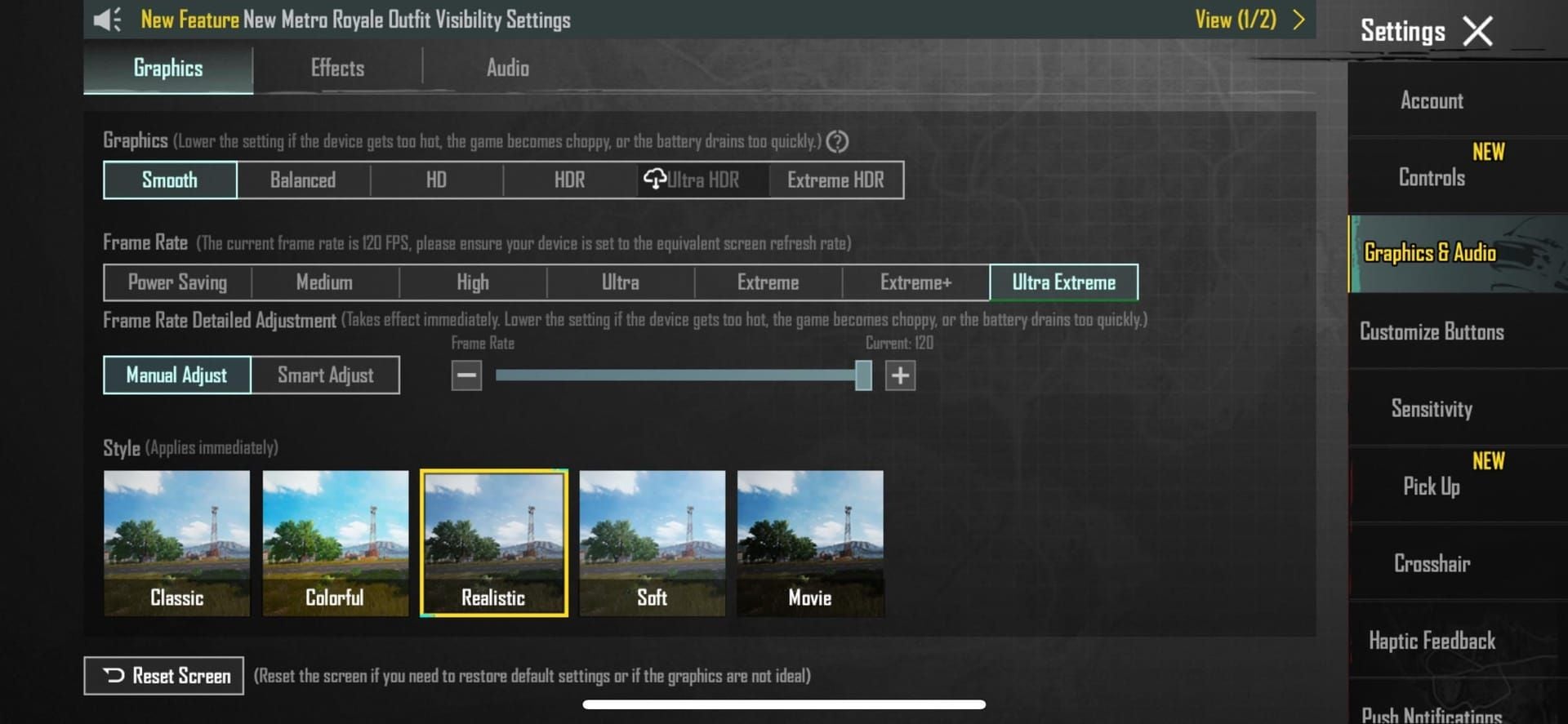
One of the most effective methods to boost FPS in PUBG Mobile is by adjusting the graphics settings. The default settings may not always provide the best performance, especially on mid-range devices that are popular among Malaysian gamers. Here are some recommended graphics settings:
- Resolution: Lowering the resolution can significantly increase FPS. Try setting it to 720p or even lower to see a noticeable improvement.
- Frame Rate: Set the frame rate to 'High' or 'Extreme' if your device supports it. This setting allows for smoother animations and responsiveness.
- Visual Effects: Disable or set visual effects such as shadows, anti-aliasing, and post-processing to low. These effects can be visually appealing but heavily tax the system.
- Graphics Quality: Set the graphics quality to 'Smooth' or 'Balanced.' This balance helps maintain a good FPS without compromising too much on visual quality.

By making these adjustments, players can enjoy a smoother gameplay experience during intense matches. As you can see above, optimizing graphics settings is essential for Malaysian gamers looking to boost their FPS in PUBG Mobile.
Device Optimization
Beyond in-game settings, optimizing your mobile device is crucial for improving performance. Here are several tips tailored for the Malaysian gaming community:
- Clear Cache: Regularly clear the cache of PUBG Mobile and other apps. This prevents your device from slowing down due to accumulated data.
- Manage Background Apps: Close any unnecessary applications running in the background. Background processes consume valuable RAM and CPU resources, which can lead to lag and reduced FPS.
- Update Software: Ensure your device’s operating system and PUBG Mobile app are up-to-date. Developers frequently release updates to optimize performance and fix bugs.
- Enable Battery Saver Mode: While this may limit performance slightly, enabling battery saver can also help maintain stable FPS during extended gaming sessions, especially if your device tends to overheat.
By implementing these device optimization strategies, Malaysian gamers can significantly enhance their gaming performance, ensuring they stay competitive in the fast-paced environment of PUBG Mobile.
Network Settings
In addition to optimizing graphics and device performance, a stable network connection is vital for reducing lag and maintaining high FPS. Here are some tips to improve your network settings:
- Use Wi-Fi Over Mobile Data: Whenever possible, connect to a stable Wi-Fi network rather than relying on mobile data. Wi-Fi connections typically offer lower latency and more consistent speeds.
- Router Placement: Position your router in a central location to minimize interference and maximize connection strength. Avoid obstacles that could disrupt the signal, such as walls and furniture.
- Limit Bandwidth Usage: Ensure that no one else is using the network for heavy tasks like streaming or downloading large files while you're gaming. High bandwidth usage can lead to lag spikes.
- Change DNS Settings: Consider using a faster DNS server, such as Google DNS (8.8.8.8) or Cloudflare (1.1.1.1), to improve connection speed and reduce latency.
With these network adjustments, gamers can experience reduced lag and improved stability, allowing for a more enjoyable and competitive gameplay experience in PUBG Mobile.
Common Issues
Even with optimized settings and device performance, players may still encounter issues that can affect FPS. Below are some common problems faced by Malaysian gamers and their solutions:
- Overheating: If your device overheats, it may throttle performance to reduce temperatures, leading to lower FPS. Take breaks during long gaming sessions and consider using a cooling pad.
- Insufficient Storage: Low storage space can hinder app performance. Regularly delete unnecessary files and apps to free up space, ensuring PUBG Mobile runs smoothly.
- Outdated Hardware: If your device struggles with performance after trying all the above tips, it may simply be time to consider an upgrade. Investing in a newer model with better specifications can dramatically improve FPS.
By addressing these common issues, Malaysian gamers can troubleshoot and maintain optimal FPS while playing PUBG Mobile, ensuring a competitive edge in every match.
Frequently Asked Questions
What are the best settings for PUBG mobile?
The best settings for PUBG Mobile include lowering the resolution, setting the frame rate to 'High' or 'Extreme,' and reducing visual effects. Adjusting the graphics quality to 'Smooth' or 'Balanced' can also enhance performance.
How do I reduce lag in PUBG mobile?
To reduce lag, use a stable Wi-Fi connection, manage background apps, and consider changing your device's DNS settings. Additionally, ensuring that your device is optimized and free of unnecessary clutter can help maintain a smooth gaming experience.
In summary, optimizing FPS in PUBG Mobile is achievable through a combination of graphics settings adjustments, device optimization, network stability, and troubleshooting common issues. By following these tips, Malaysian gamers can enhance their gaming experience, enjoy smoother gameplay, and gain a competitive advantage on the battleground.