Understanding FPS Drops
Frames per second (FPS) is a crucial term in the gaming world, especially for mobile gamers in Malaysia. It refers to the number of frames displayed on your screen per second during gameplay. Higher FPS means smoother gameplay, which is essential for competitive gaming and immersive experiences. When FPS drops occur, players may experience lag, stuttering, and an overall frustrating gaming experience. This is particularly noticeable on Android devices, which are popular among Malaysian gamers due to their affordability and versatility.
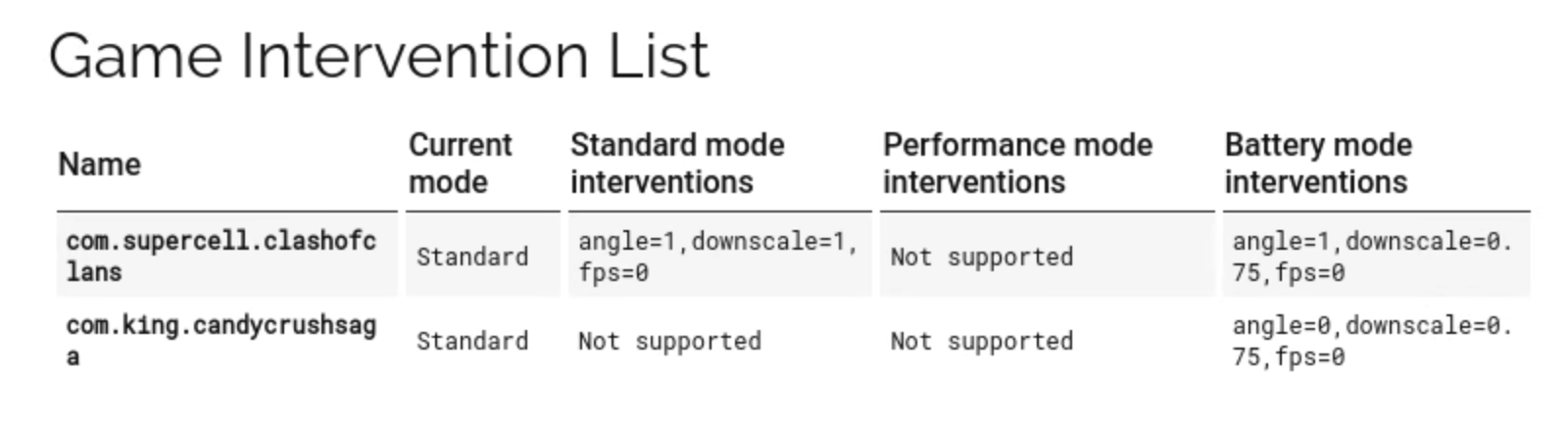
Common Causes of FPS Drops
FPS drops can be a frustrating experience for gamers, and understanding the common causes can help mitigate the issue. Here are some of the primary culprits:
- Hardware Limitations: Many Android devices, especially older models from brands like Samsung and Xiaomi, may not have the necessary hardware to handle graphically intensive games. Limited RAM and processing power can lead to significant FPS drops.
- Background Applications: Running multiple applications in the background can consume resources and bandwidth. This can detract from the gaming performance, causing noticeable lag.
- Software Issues: Outdated firmware or poorly optimized games can negatively impact your device's performance. Ensure your games and OS are up to date for the best experience.
- Environmental Factors: Overheating can also lead to FPS drops. High temperatures can cause your device to throttle performance to cool down, which can disrupt your gaming experience.
Solutions to Prevent FPS Drops
Now that we’ve identified the common causes of FPS drops, let’s explore effective solutions to optimize performance on your Android device:
- Close Background Applications: Before launching your game, ensure that all unnecessary applications are closed. You can do this by accessing the recent apps menu and swiping away apps you don’t need.
- Regular Device Maintenance: Keep your device clean by removing unused apps and files. Regularly clearing the cache can also help in maintaining optimal performance.
- Adjust Graphics Settings: Most games allow you to adjust the graphic settings. Lowering the graphics quality can significantly improve FPS, especially on mid-range devices.
- Update Your Device: Regular updates can fix bugs and optimize performance. Make sure both your Android system and your games are updated to the latest versions.
Recommended Apps for Performance Optimization
To further enhance your gaming experience on Android, there are several apps designed to optimize performance and reduce FPS drops:
- Game Booster: This app can help improve your gaming performance by optimizing device memory and CPU usage. It allows you to focus on your game without interruptions.
- CCleaner: Known for its cleaning capabilities, CCleaner can help you remove junk files and free up space, improving overall device performance.
- Greenify: This app can help manage background apps efficiently, ensuring that only the essential applications run while you game, thereby improving FPS stability.
Settings Adjustments for Better Performance
Adjusting your device settings is another effective way to prevent FPS drops. Here are some key settings to consider:
- Developer Options: By enabling Developer Options on your Android device, you can access settings such as “Force GPU Rendering” which can improve performance in games.
- Display Settings: Reducing the screen resolution and refresh rate can significantly help in boosting FPS. Lower settings can often lead to smoother gameplay.
- Power Saving Mode: While this mode may extend battery life, it can also throttle performance. Consider disabling it while gaming to ensure your device runs at full capacity.
FAQ
What causes FPS drops on Android?
FPS drops on Android can be attributed to several factors including hardware limitations, running background applications, outdated software, and environmental conditions like overheating. Addressing these issues can significantly enhance your gaming experience.
How to optimize my Android for gaming?
To optimize your Android device for gaming, close background applications, regularly update your device, adjust graphics settings within games, and consider using performance optimization apps. Additionally, maintaining your device's hardware by keeping it clean and cool is essential.
By following these tips and being mindful of your gaming environment, you can ensure a smoother gaming experience on your Android device. Whether you’re playing a competitive title or an immersive adventure, preventing FPS drops is key to enjoying your gaming sessions to the fullest.