Understanding Frame Rate
Frame rate, often measured in frames per second (FPS), refers to the number of individual frames or images that are displayed in a single second of video playback or gaming. In the context of gaming, a higher frame rate results in smoother motion and a more immersive experience. For Malaysian gamers, where mobile gaming has seen a significant rise, understanding frame rate is crucial. A game that runs smoothly provides a competitive edge, especially in popular titles like Mobile Legends or PUBG Mobile, where every millisecond counts.
Not only does frame rate affect gameplay, but it also plays a significant role in video playback quality. Streaming services and gameplay recordings benefit from higher FPS, making the viewing experience more enjoyable. Thus, optimizing frame rate on your Android device is essential for both gamers and casual viewers alike.
Common Causes of Low Frame Rate
Several factors can contribute to a low frame rate on Android devices. Understanding these can help Malaysian gamers troubleshoot and improve their gaming experience.
- Hardware Limitations: Older devices, such as those from earlier generations of Samsung, Huawei, and Xiaomi, may struggle to run graphically intensive games smoothly due to outdated processors or insufficient RAM.
- Software Issues: Background applications consuming resources can significantly hinder performance. If your device is running multiple apps simultaneously, it may lead to noticeable frame rate drops.
- High Graphics Settings: Many games come with default graphics settings that may be too demanding for your device. Setting these to high can result in stuttering and lagging.
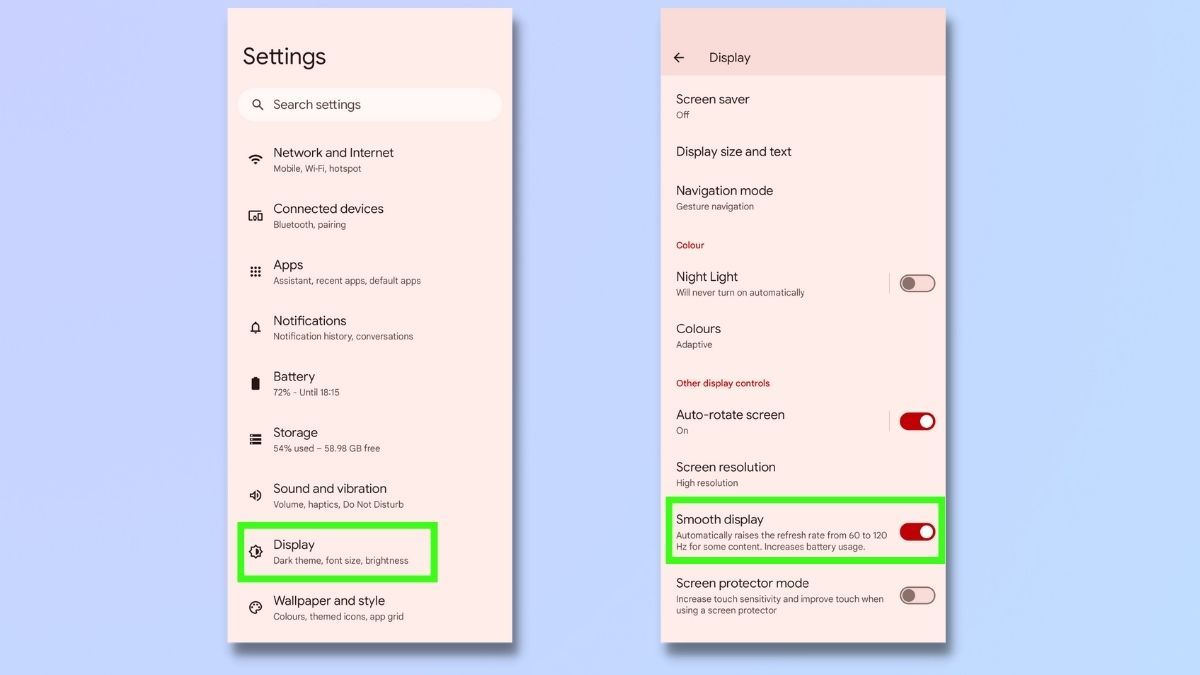
Identifying these issues is the first step toward improving frame rates. By addressing hardware and software limitations, gamers can enhance their performance significantly.
Adjusting Settings
Optimizing your Android device settings can lead to substantial improvements in frame rates. Here are several strategies tailored for Malaysian gamers:
- Reduce Graphics Quality: Lowering the graphics settings in your game can have a dramatic effect on frame rates. Most modern games allow you to adjust these settings in the options menu.
- Disable Background Apps: Close all unnecessary apps running in the background. This can free up RAM and CPU resources, allowing for smoother gameplay.
- Enable Developer Options: By enabling Developer Options on your device, you can access various settings that might help improve performance. For example, reducing the animation scale can lead to a more responsive interface.
- Switch to Performance Mode: If your device has a performance mode option, enable it. This prioritizes power for gaming, often at the expense of battery life.
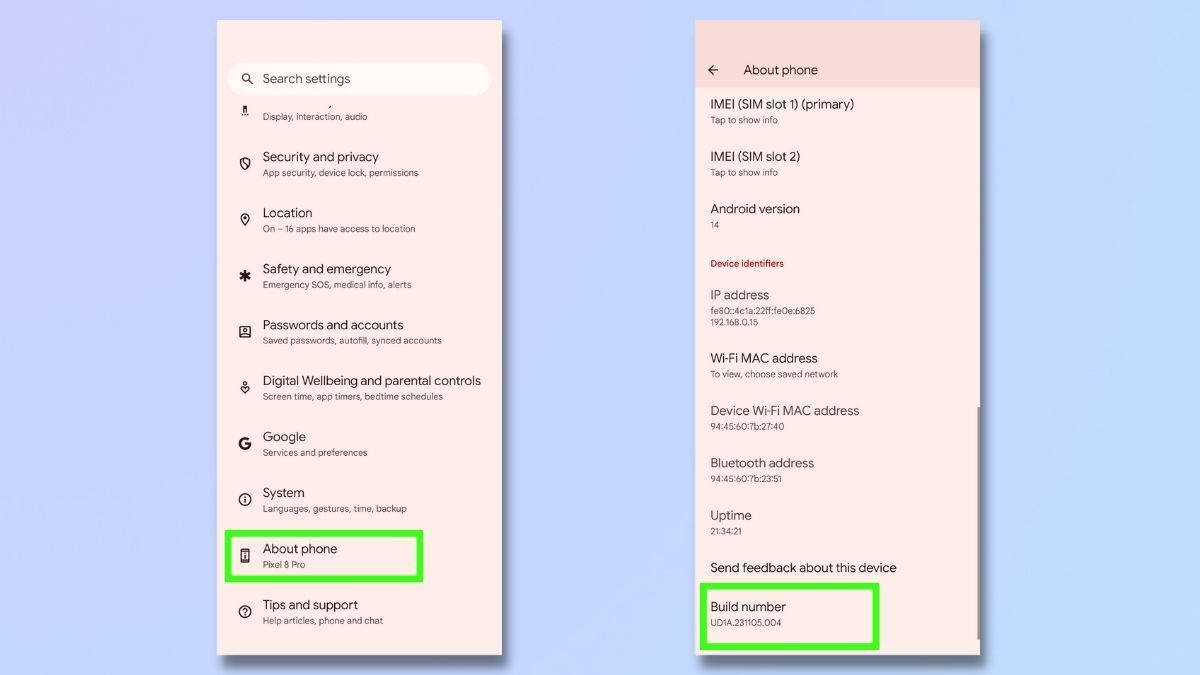
These adjustments are simple yet effective ways to enhance your gaming experience. With the right settings, even an older Android device can perform better than expected.
Recommended Apps
In addition to adjusting your settings, several apps can further boost frame rate and overall performance on Android devices. Here are some well-regarded options for Malaysian gamers:
- Game Booster Apps: Apps like Game Booster and Game Guardian optimize system resources specifically for gaming, ensuring that your device runs smoothly during gameplay.
- Clean Master: This app helps clean up junk files and manage background processes, which can improve your device's overall performance.
- GLTools: Although it requires rooting your device, GLTools can enhance graphics rendering and frame rates by allowing you to tweak settings that aren't typically accessible.
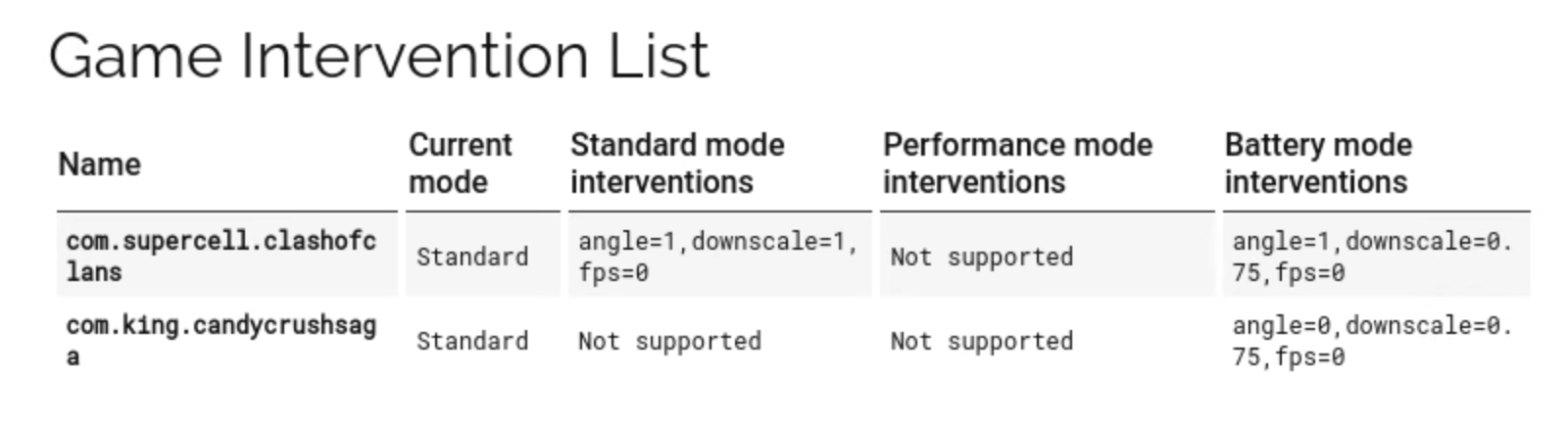
Utilizing these applications can streamline your device's performance, giving you a competitive edge in your favorite mobile games.
Conclusion
Improving the frame rate on your Android device can significantly enhance your gaming experience. By understanding frame rates, identifying common issues, adjusting settings, and utilizing the right applications, you can enjoy smoother gameplay and better video playback. Whether you’re a casual gamer or a competitive player in Malaysia's vibrant gaming community, these strategies can help you get the most out of your Android device.
Start implementing these techniques today, and you'll notice a remarkable difference in your gaming performance. Happy gaming!
FAQ
- What can I do to increase frame rate on my Android? You can increase frame rates by adjusting graphics settings, closing background apps, and using performance-boosting apps.
- What settings affect frame rate on Android? Graphics quality settings, developer options, and power management settings directly influence frame rates.