Introduction
As the gaming community in Malaysia continues to thrive in 2026, one aspect that has become increasingly relevant is the choice of gaming monitors. A good gaming monitor can elevate your gaming experience by providing smoother visuals, better response times, and enhanced image quality. With the rapid advancements in technology, understanding gaming monitor specifications is crucial for gamers looking to maximize their performance and enjoyment.
In this article, we will explore the essential specifications of gaming monitors, compare various types, and offer tips to help you choose the best monitor for your gaming setup in Malaysia.
Key Specifications
When choosing a gaming monitor, several specifications play a critical role in determining overall performance. Here, we will discuss the most vital aspects: refresh rate, response time, and resolution.
Refresh Rate
The refresh rate, measured in hertz (Hz), indicates how many times a monitor can redraw the image per second. A higher refresh rate translates to smoother gameplay, which is particularly important in fast-paced games like first-person shooters. For competitive gamers in Malaysia, a refresh rate of at least 144Hz is often recommended, while those seeking the ultimate experience may opt for monitors that support up to 240Hz or even 360Hz.
In 2026, many gaming monitors come equipped with technologies like FreeSync and G-Sync, which help eliminate screen tearing and stuttering. These features synchronize the refresh rate of your monitor with the frame rate output of your graphics card, providing a seamless gaming experience.
Response Time
Response time measures how quickly a pixel can change from one color to another, typically expressed in milliseconds (ms). In competitive gaming, low response times are crucial to avoid ghosting and blurring during rapid movements. For most gamers, a response time of 1ms to 5ms is ideal.
It's worth noting that while some monitors advertise low response times, the actual performance can vary based on the panel technology used. For instance, TN (Twisted Nematic) panels generally offer faster response times compared to IPS (In-Plane Switching) panels, but they may sacrifice color accuracy and viewing angles. Gamers in Malaysia should consider their gaming style and preferences when selecting a monitor based on response time.
Resolution
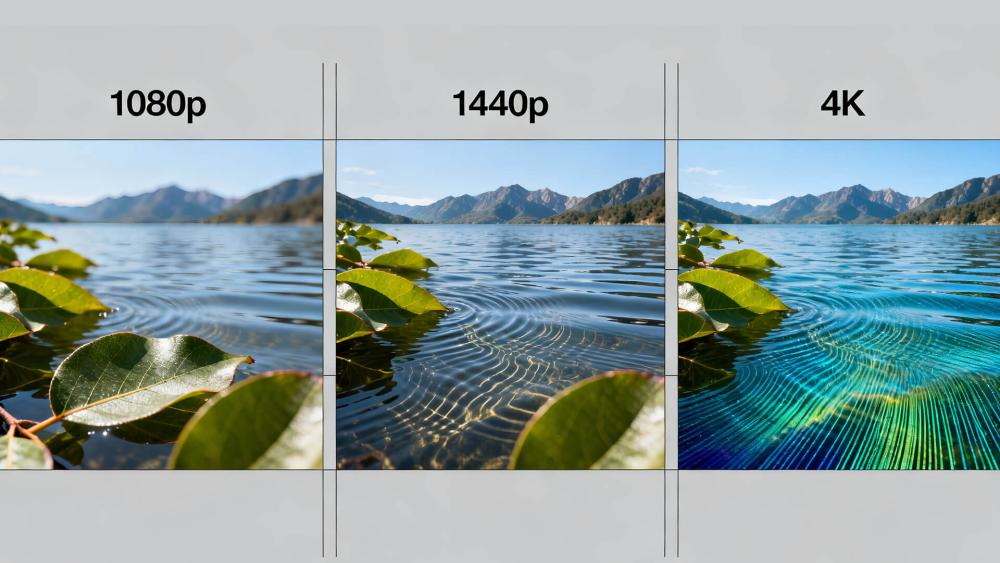
Resolution is a critical specification that determines the clarity and detail of the images displayed on your monitor. In 2026, the two most common resolutions for gaming monitors are 1080p (Full HD) and 4K (Ultra HD). Here's a comparison:
- 1080p (1920x1080): This resolution provides a good balance between performance and visual quality. It's easier to achieve high frame rates at this resolution, making it a popular choice among competitive gamers in Malaysia.
- 4K (3840x2160): Offering four times the pixel count of 1080p, 4K monitors deliver stunning visuals and detail. However, they require more powerful graphics cards, which can be a limiting factor for some gamers.
Ultimately, the choice between 1080p and 4K will depend on your gaming style, budget, and the capabilities of your gaming rig. For those who prioritize competitive play, 1080p may be the way to go, while 4K is ideal for immersive gaming experiences.
Comparison of Types
In addition to specifications, the type of gaming monitor also plays a significant role in your overall experience. The two primary types of monitors to consider are curved and flat screens.
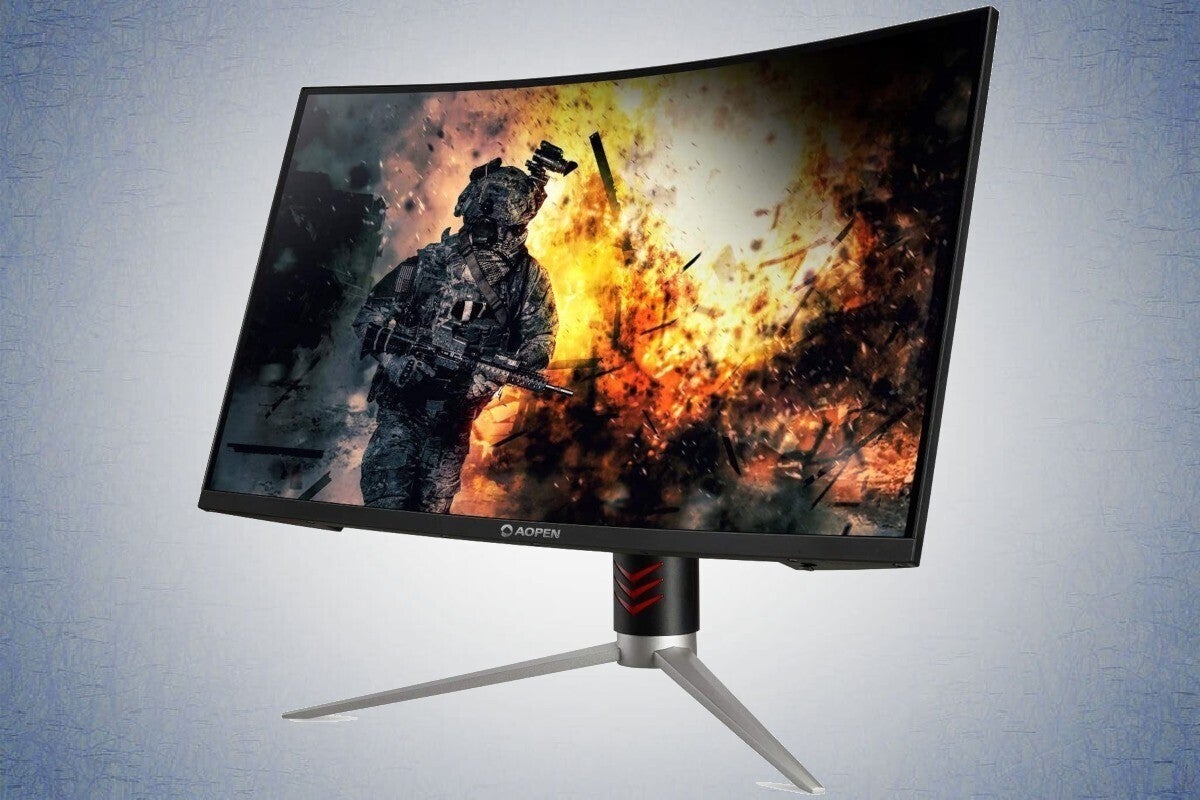
Curved Monitors: These monitors offer a more immersive experience by wrapping the screen around your field of vision. This can be beneficial in open-world games or simulations, as it enhances depth perception and reduces glare. Curved monitors are also known for providing a more uniform viewing distance across the screen.
Flat Monitors: Flat monitors are traditional and widely used in gaming setups. They typically offer better color accuracy and are available in a broader range of sizes and resolutions. Flat screens are often preferred for competitive gaming, as they provide a straightforward view without distortion.
Ultimately, the choice between curved and flat monitors comes down to personal preference. Gamers in Malaysia are encouraged to try both types to see which fits their gaming style best.
Buying Tips
Choosing the right gaming monitor can be overwhelming with so many options available in 2026. Here are some best practices to consider:
- Define Your Needs: Consider your gaming style. Are you a competitive gamer, or do you prefer immersive single-player experiences? Your needs will dictate the specifications you should prioritize.
- Check Compatibility: Ensure that your graphics card can support the monitor's resolution and refresh rate. Investing in a high-end monitor without the proper hardware may lead to underwhelming performance.
- Read Reviews: Look for user reviews and comparisons from reputable sources. The Malaysian gaming community is active, and there are plenty of forums and social media platforms where you can gather insights.
- Test Before You Buy: If possible, visit local stores to test monitors in person. This will give you a better idea of how they perform in real-world scenarios.
- Consider Future Proofing: With technology constantly evolving, consider investing in features that may become standard in the near future, such as 4K resolution and high refresh rates.
FAQs
What specifications should I look for in a gaming monitor?
When choosing a gaming monitor, focus on refresh rate, response time, and resolution. A higher refresh rate (144Hz or above) is ideal for smooth gameplay, while a low response time (1ms to 5ms) is crucial for competitive gaming. Lastly, consider the resolution that best suits your gaming preferences, whether it's 1080p for performance or 4K for stunning visuals.
What is the difference between 1080p and 4K monitors?
The primary difference lies in the resolution. 1080p (1920x1080) offers a good balance between performance and quality, making it easier to achieve high frame rates. In contrast, 4K (3840x2160) provides superior image clarity and detail but requires more powerful hardware to run smoothly. Your choice between the two should depend on your gaming style and the capabilities of your gaming rig.
Choosing the right gaming monitor in 2026 is essential for maximizing your gaming experience. By understanding specifications, comparing different types, and following our buying tips, Malaysian gamers can make informed decisions that enhance their gameplay. Happy gaming!