What are XAPK Files?
In the gaming world, particularly for Android users, you might have come across the term XAPK. So, what exactly are XAPK files? In essence, XAPK files are a packaging format that combines an APK file (the standard format for Android apps) with additional data files needed for the app to function properly. This is particularly useful for large games that require extra resources, such as graphics or media files, which cannot be included in a single APK file due to size limitations.
The key difference between XAPK and APK files lies in their structure. An APK file is a standalone application that can be installed directly on your Android device, while an XAPK file often includes an APK as well as an OBB (Opaque Binary Blob) folder, which contains additional data. This means that installing an XAPK file can sometimes be a bit more complex, but it also allows for a more complete installation of large games or apps.
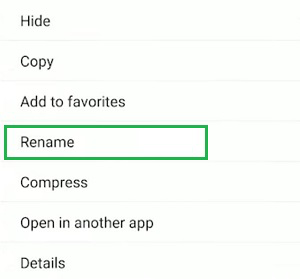
How to Manage XAPK Files
Managing XAPK files might seem daunting at first, especially if you’re new to the Android gaming scene. However, with a few simple steps, you can efficiently handle XAPK files, from downloading to installing them on your device.
- Step 1: Downloading XAPK Files - When you find a game or app that offers an XAPK file, download it from a reliable source. Popular gaming sites often provide XAPK files for large games that are not available on the Google Play Store.
- Step 2: Enable Unknown Sources - Before installing any XAPK file, you have to enable installations from unknown sources. Go to your device’s Settings > Security > and toggle Unknown sources to allow installations.
- Step 3: Extracting the XAPK File - Since an XAPK file is essentially a compressed package, you will need an extraction tool. Use an app like XAPK Installer or APKPure to extract the APK and OBB files from the XAPK file. These tools streamline the extraction and installation process.
- Step 4: Installing the APK File - Once you have extracted the XAPK file, locate the APK file within the extracted folder. Tap on it to begin the installation process. Follow the prompts as you would with any standard APK installation.
- Step 5: Moving OBB Files - After the APK installation is complete, you will need to move the OBB files to the correct directory. Typically, this is
/Android/obb/followed by the package name of the app. Ensure that the OBB file is properly placed to avoid any runtime errors.
Following these steps will ensure that you can manage XAPK files effectively. If you encounter any issues, don’t worry, as we’ll address common problems in the next section.

Tools for Managing XAPK
To efficiently manage XAPK files, having the right tools at your disposal is crucial. Here are some of the most popular applications that Malaysian gamers can utilize:
- XAPK Installer - This app is specifically designed for installing XAPK files. It simplifies the extraction and installation process and is user-friendly, making it perfect for beginners.
- APKPure - Another popular choice, APKPure not only allows you to download XAPK files but also comes with an integrated installer that manages the entire installation process.
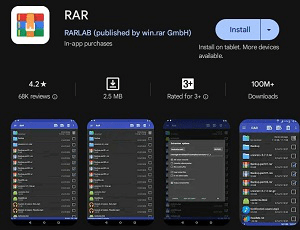
- RAR - If you prefer a more manual approach, using extraction tools like RAR can help you unzip XAPK files to access the APK and OBB files directly.
- ES File Explorer - This file management app is versatile and can assist in moving OBB files to the correct directory after installation. It provides a comprehensive view of your file system.
Common Issues
While managing XAPK files is generally straightforward, users might encounter some common issues. Here are a few problems and their solutions:
- Installation Fails - If the APK file fails to install, double-check that you have enabled installations from unknown sources. Additionally, ensure that the APK is compatible with your device.
- Game Doesn’t Launch - If the game does not start after installation, it could be due to incorrectly placed OBB files. Verify that the OBB files are in the right directory as mentioned earlier.
- Corrupted Files - Sometimes, the XAPK file may get corrupted during the download. In such cases, try downloading the file again from a different source.
By being aware of these common issues, you can troubleshoot effectively and enjoy a smoother gaming experience.
FAQs
Here are some frequently asked questions related to XAPK files:
- What is an XAPK file? - An XAPK file is a package that contains an APK file along with additional data files (like OBB files) necessary for an app or game to function properly on Android devices.
- How do I convert an XAPK file? - Converting an XAPK file into an APK file isn't typical, as XAPK files are designed to include extra data. However, you can extract the APK and OBB files using tools like XAPK Installer and install them separately.
Understanding how to manage XAPK files can significantly enhance your gaming experience on Android. By following the outlined steps, utilizing the right tools, and being aware of common issues, you can enjoy your favorite games without hassle. Happy gaming!