Introduction
Game crashes can be a frustrating experience for gamers, especially on Android devices. In a country like Malaysia, where mobile gaming has seen a massive surge in popularity, encountering these issues can be particularly disheartening. Fortunately, many gamers are seeking solutions that don’t require rooting their devices, allowing them to maintain warranty and device integrity. This article explores the top ways to fix game crashes on Android without rooting, providing Malaysian gamers with practical steps to enhance their gaming experience.
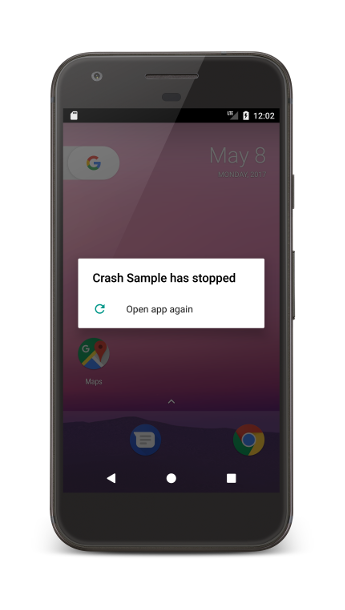
Common Causes of Game Crashes
Understanding the reasons behind game crashes is crucial for effective troubleshooting. Here are some of the most common causes:
- Insufficient Memory: Many Android devices, especially older models, may struggle with memory management. Games can require substantial RAM, and if your device is running too many applications simultaneously, it can lead to crashes.
- Outdated Apps: Keeping your games and applications updated is vital. Developers frequently release updates to fix bugs and improve performance. An outdated version of a game can lead to compatibility issues and crashes.
- Compatibility Issues: Some games may not be optimized for certain devices or Android versions. This can result in unexpected crashes, especially if a game requires features that your device does not support.
- Performance Issues: Background processes and apps can consume resources, impacting your game’s performance. Overheating or low battery can also trigger crashes as the device struggles to maintain optimal performance.
Step-by-Step Fixes
With the common causes in mind, let’s explore step-by-step fixes that can help you resolve game crashes without rooting your device:
- Clear Cache: One of the simplest solutions is to clear the cache of the game. This can resolve up to 50% of game-related issues. Go to Settings > Apps > [Game Name] > Storage > Clear Cache. This action removes temporary files that might be causing conflicts.
- Update Your Apps: Make sure that both your game and the Google Play Store are updated. Open the Play Store, tap on the hamburger menu, select "My Apps & Games," and update any games listed here. Regular updates can significantly reduce crash frequency.
- Free Up Memory: Check for apps running in the background that you don’t need while gaming. You can do this through Settings > Apps and force stop unnecessary applications. Alternatively, consider uninstalling apps that you rarely use.
- Check Device Performance: Look at your device's performance metrics. If your device is overheating or the battery is low, consider taking a break from gaming. You can also enable Battery Saver mode and close background apps to enhance performance.
- Reinstall the Game: If the issue persists, uninstalling and then reinstalling the game can be an effective last resort. This action ensures that you have the latest version and fresh game files, free from any corruption.
Tools and Apps to Help
There are several handy tools and apps available that can assist you in diagnosing and fixing game crashes without rooting your Android device:
- CCleaner: This app helps to clean up your device by removing unnecessary files and cache, thus improving performance. It can be particularly helpful for freeing up memory, which is crucial for smooth gaming.
- Game Booster Apps: Apps like Game Booster or Game Guardian can enhance your gaming experience by optimizing device performance and managing resources effectively. They help allocate more RAM to games, potentially reducing crashes.
- Malwarebytes: Sometimes, malware can be the hidden culprit behind crashes. Running a scan with Malwarebytes can help identify and remove any harmful software that could be affecting your device’s performance.
- Device Care Apps: Built-in device care tools in Android can also help manage your device's performance. They often include features to optimize storage, memory, and battery settings.
Conclusion
Game crashes on Android can be a major annoyance, but many issues can be resolved without rooting your device. By understanding the common causes and following the troubleshooting steps outlined in this article, Malaysian gamers can significantly reduce the frequency of crashes and enhance their gaming experiences. Whether it’s clearing the cache, updating your apps, or utilizing helpful tools, there are numerous ways to keep your games running smoothly. Don’t let crashes ruin your gaming sessions—try these methods and get back to enjoying your favorite titles!