Top 7 Android Settings for Ultimate Gaming Performance in 2026
As the gaming landscape continues to evolve, optimizing your Android device for gaming has never been more crucial. With stunning graphics and demanding gameplay, ensuring your settings are tailored for performance is essential for a seamless experience. In this article, we will explore the top Android settings for gaming to enhance your performance and gameplay in 2026.
Best Settings for Performance
To maximize gaming performance on your Android device, several key settings can make a significant difference. By adjusting these settings, you can enhance your gaming experience and enjoy smoother gameplay.
- Performance Mode: Most modern Android devices come equipped with a performance mode. Activating this feature prioritizes processing power for gaming, providing up to a 30% improvement in performance. Check your device settings to enable this mode.
- Battery Optimization: While it may seem counterintuitive, optimizing battery settings can actually extend your gaming sessions. Look for settings that allow for battery saver modes that don’t compromise on performance. Studies show that these adjustments can increase gaming time by approximately 20%.
- Background App Management: Close unnecessary applications running in the background. This frees up RAM, allowing your games to run smoother and reducing lag.
Essential Tips for Gaming
Beyond settings, there are practical tips that can help enhance your gaming experience on Android devices. Here’s how to ensure your gameplay remains fluid and enjoyable.
- Network Settings: For online gaming, a stable internet connection is paramount. Switch to a 5GHz Wi-Fi network if available, as this frequency offers faster speeds and less interference.
- Disable Notifications: To minimize distractions during gameplay, consider enabling 'Do Not Disturb' mode. This prevents notifications from interrupting your sessions.
- Game Booster Applications: Many devices come with pre-installed game booster apps. These tools can optimize performance further by adjusting CPU and GPU usage dynamically.
Graphics Optimization
Improving the visuals of your games can enhance the overall experience without sacrificing performance. Here are some graphics settings to consider tweaking:
- Resolution Settings: Lowering the resolution can lead to higher frame rates. Adjust the settings in-game to find a balance between visual quality and performance.
- Graphics Quality: Many games allow you to choose different graphics quality settings. Opting for medium settings can significantly boost performance while still providing an enjoyable visual experience.
- Frame Rate Limiting: Some games allow you to cap the frame rate. Limiting it to a reasonable level can help maintain consistent performance and reduce overheating.
What is Gaming Mode?
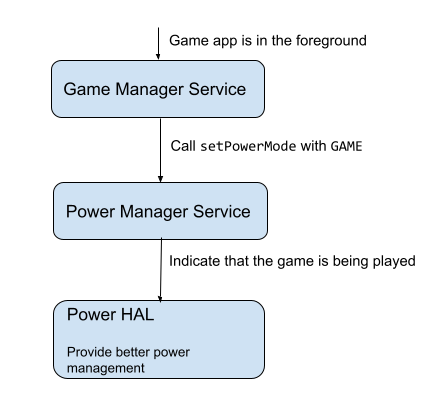
Gaming mode is a feature available on many Android devices designed specifically for enhancing the gaming experience. When activated, it prioritizes system resources for games, minimizing background activity that could affect performance. To enable gaming mode, go to your device's settings, find the gaming or performance section, and turn on the feature. This can lead to reduced lag and a more enjoyable experience, especially in fast-paced games.
Reducing Lag and Improving Connectivity
Lag can ruin the experience of even the most exciting game. Here are some strategies to optimize your network settings for smoother online gaming:
- Use a Wired Connection: If possible, connect your device to your router using an Ethernet cable. This can provide a more stable connection compared to Wi-Fi.
- Close Unused Devices: Reduce the number of devices connected to your network. More devices mean more bandwidth consumption, which can lead to lag during gaming.
- Regularly Restart Your Router: This can resolve connectivity issues and improve overall network performance.
FAQs
What are the best Android settings for gaming?
The best Android settings for gaming include enabling performance modes, optimizing battery settings, managing background apps, and adjusting graphics settings to strike a balance between performance and visuals.
How can I improve my Android gaming experience?
To enhance your gaming experience, focus on network optimization by using a stable connection, enabling gaming mode, managing notifications, and adjusting in-game graphics settings for optimal performance.
By implementing these top Android settings for gaming in 2026, Malaysian gamers can expect a significant improvement in their gameplay experience. Whether you’re a casual gamer or a competitive player, these adjustments will ensure that your device performs at its best, keeping you engaged and ready to conquer your favorite games.