Understanding Game Lag
Game lag can be a frustrating experience for any gamer, especially on mobile devices. It refers to the delay between your actions and the game's response, which can drastically affect your gaming experience. In the fast-paced world of mobile gaming, where every millisecond counts, lag can lead to missed opportunities and can even cause a loss in competitive settings. This is particularly important for Malaysian gamers who participate in online tournaments or enjoy multiplayer games with friends. Reducing game lag isn't just about enhancing performance; it's about ensuring that you enjoy a seamless gaming experience.

Common Causes of Lag
Several factors contribute to game lag on Android devices. Understanding these can help you take proactive measures to enhance your gaming experience. Here are some typical causes:
- Device Performance: Older devices may struggle with the latest games that demand higher processing power and memory. The specifications of your Android phone play a crucial role in how well it can handle mobile games.
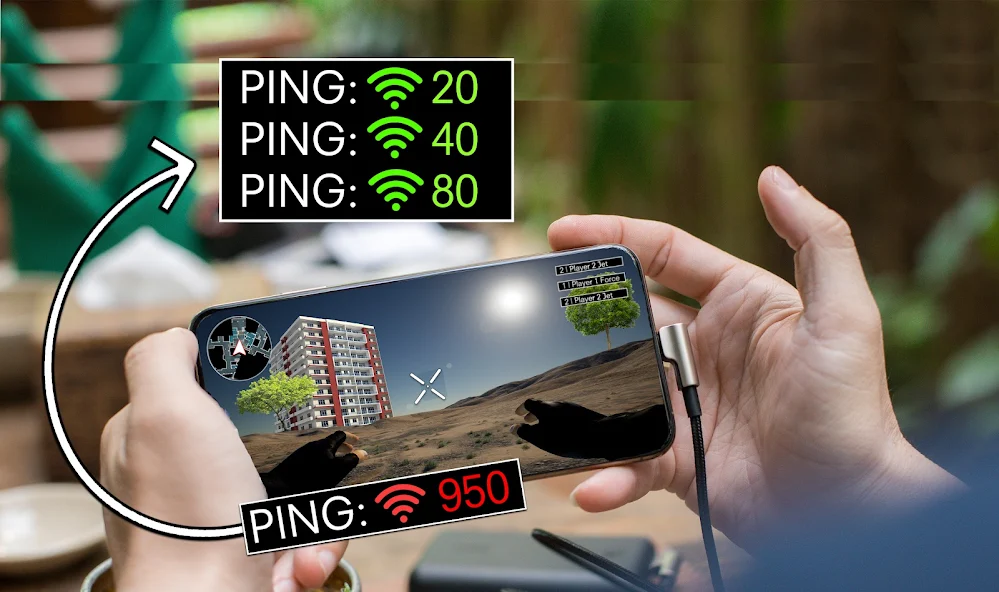
- Network Issues: A slow or unstable internet connection can lead to significant lag, especially in online multiplayer games. In Malaysia, where internet infrastructure varies greatly between urban and rural areas, this can be a common issue.
- Background Processes: Apps running in the background can consume system resources, leading to reduced performance while gaming. This is often overlooked by gamers.
Tips to Reduce Lag
Now that we understand the causes of game lag, let’s explore actionable tips that can help you reduce lag on your Android devices.
Device Optimization
Optimizing your device is key to enhancing gaming performance. Here’s how you can do it:
- Clear Cache: Over time, apps accumulate cache data, which can slow down your device. Regularly clear the cache for apps, especially your games, to free up space and improve performance.
- Manage Background Processes: Close apps that are not in use. By reducing the number of background processes, you can allocate more memory and processing power to your games, which can significantly lower game lag.
- Update Software: Ensure your Android OS and apps are up-to-date. Updates often include performance improvements and bug fixes that can enhance your gaming experience.
Game Settings
Adjusting in-game settings can also make a big difference. Consider lowering the graphics settings, turning off unnecessary visual effects, or reducing the resolution for a smoother experience. Many games have options for optimizing performance specifically for low-end devices, which can help Malaysian gamers with less powerful hardware.
Performance Settings
Android devices come with various settings that can be adjusted for better gaming performance. Here are some suggestions:
- Enable Developer Options: Go to Settings > About Phone and tap on Build Number several times to unlock Developer Options. Here, you can adjust settings such as background process limits which can help reduce lag.
- Disable Animations: In the Developer Options, you can reduce or disable window and transition animations, which can help your phone react faster during gaming sessions.
- Battery Optimization: Turn off battery optimization for your gaming apps. This ensures that the system doesn’t restrict the resources available to these apps while you're gaming.
Are There Apps to Reduce Game Lag?
Yes, there are several apps designed to optimize performance and reduce lag. These game booster apps can help improve performance in high-demand games by managing resources more efficiently. Some popular options among Malaysian gamers include:
- Game Booster: This app optimizes your Android phone for gaming by cleaning up RAM and managing background processes automatically.
- Game Guardian: While primarily used for modifying games, it can also help in optimizing game performance.
- CCleaner: A general optimization tool that can help you clear cache and manage apps effectively.
Is it Possible to Reduce Lag Permanently?
While it may not be feasible to achieve a permanent reduction in lag due to the ever-evolving nature of mobile gaming and technology, regular maintenance and optimization can help keep your device running smoothly. Here are some tips for ongoing maintenance:
- Regularly clear cache and unused apps.
- Keep your device updated with the latest software.
- Monitor your internet connection, especially during peak hours.
What is the Best Android Phone for Gaming?
Choosing the right device can significantly impact your gaming experience. As of 2026, here are some of the top Android phones that are popular among Malaysian gamers:
- Asus ROG Phone 6: Known for its gaming-centric features, this phone offers high refresh rate displays and powerful hardware.
- Samsung Galaxy S21 FE: With excellent performance and a balanced design, it’s a great choice for both casual and serious gamers.
- Xiaomi Black Shark 5: This device is specifically designed for gaming, featuring customizable game triggers and enhanced cooling systems.
Investing in a device with robust specifications can help you minimize lag and enjoy smoother gaming sessions.
FAQ
What causes lag in mobile games?
Lag in mobile games can be caused by various factors including device performance limitations, network connectivity issues, and background processes that consume system resources.
How can I make my Android phone faster for gaming?
You can make your Android phone faster for gaming by optimizing device settings, clearing cache, managing background apps, and ensuring your phone's software is up to date. Additionally, using game booster apps can help manage resources effectively.