Troubleshooting Game Crashes in 2026: Your Essential Checklist
Gaming has become an integral part of Malaysian culture, with millions of gamers diving into immersive worlds every day. However, one of the most frustrating experiences for gamers is dealing with game crashes. Whether you're using a high-end PC or a popular console, crashes can disrupt your gaming sessions and diminish your enjoyment. In 2026, understanding how to troubleshoot these issues is crucial. This article explores effective strategies and solutions for troubleshooting game crashes, tailored specifically for the Malaysian gaming community.
Common Causes of Game Crashes
Understanding the common causes of game crashes is the first step towards resolving them. Research indicates that over 50% of gamers experience crashes regularly, often due to a few key issues:
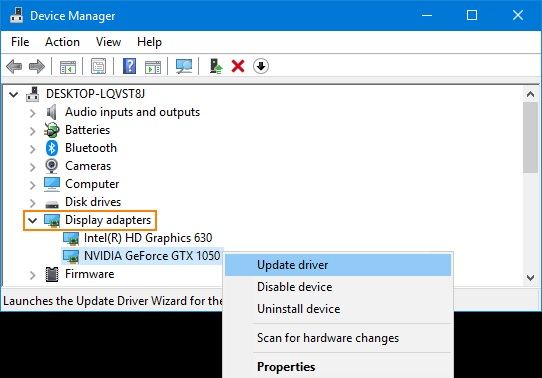
- Software Conflicts: Many crashes stem from software conflicts, particularly with background applications or outdated drivers. Programs like NVIDIA GeForce Experience or AMD Radeon Software must be kept updated to avoid compatibility issues.
- Hardware Limitations: If your system doesn't meet the game's requirements, you're likely to encounter performance issues. Ensure your graphics card, RAM, and CPU are adequate for the games you want to play.
- Corrupted Game Files: Sometimes, the files that make up your game can become corrupted, leading to crashes. This can happen during updates or installations.
- External Factors: Network issues or power outages can also cause games to crash unexpectedly. In Malaysia, unstable internet connections can be a common concern, particularly for online multiplayer games.
Effective Troubleshooting Steps
When faced with a game crash, there are several troubleshooting steps you can take based on your gaming platform. Here’s a detailed guide:
PC Troubleshooting
- Close Background Applications: Use Task Manager to close unnecessary applications that may conflict with your game.
- Update Graphics Drivers: Regularly check for updates for your NVIDIA or AMD drivers. Updating drivers can resolve 80% of game crash issues.
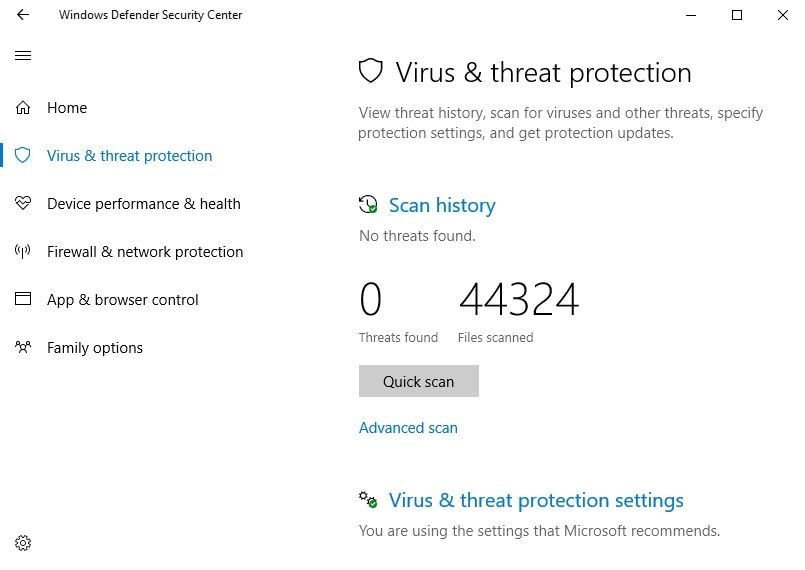
- Verify Game Files: Platforms like Steam and Epic Games offer tools to verify the integrity of game files. This can fix corrupted files.
- Adjust Graphics Settings: Lowering in-game graphics settings can help if your hardware struggles to keep up.
Console Troubleshooting
- Restart Your Console: A simple restart can often resolve many temporary issues.
- Check for System Updates: Ensure your console software is up to date, as manufacturers frequently release patches for stability.
- Clear Cache: Clearing the cache on your console can help improve performance and prevent crashes.
- Reinstall the Game: If all else fails, uninstalling and reinstalling the game can fix persistent issues.
By following these steps, Malaysian gamers can often resolve their game crashes without significant hassle.
Advanced Solutions for Persistent Issues
For gamers still experiencing crashes despite following the basic troubleshooting steps, more advanced solutions may be necessary:
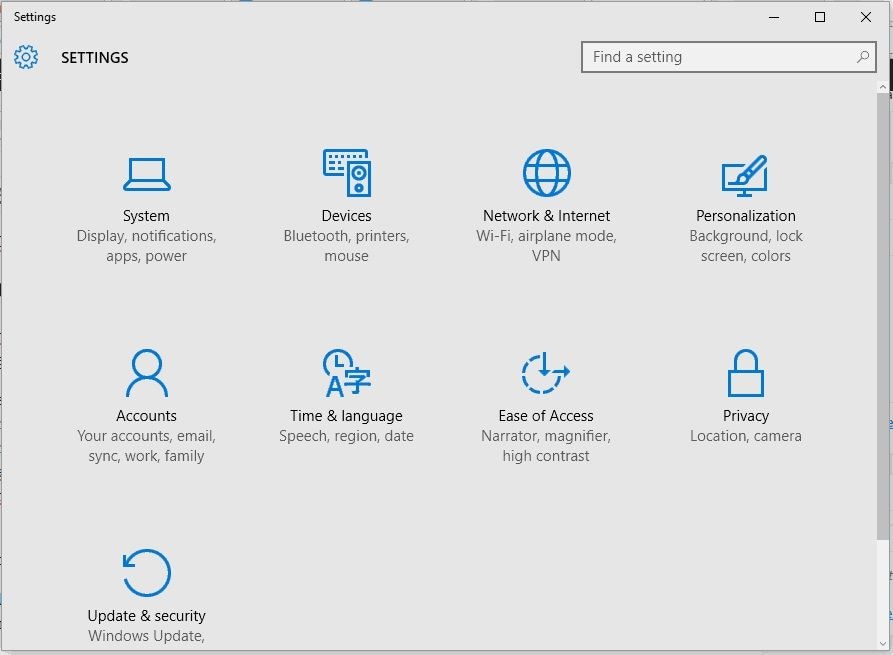
- Adjust System Settings: Tweaking settings in your operating system, such as turning off Windows Game Mode or adjusting power settings, can enhance performance.
- Check for Overclocking: If you’ve overclocked your CPU or GPU, revert to default settings, as overclocking can lead to instability.
- Monitor Temperatures: High temperatures can cause hardware to fail. Use monitoring software to keep an eye on your system’s temperatures.
- Test Hardware: Run diagnostics on your RAM and hard drive to check for issues that could cause crashes.
User Reports and Experiences
Real-life experiences from the Malaysian gaming community can provide invaluable insights into troubleshooting game crashes. Many gamers report that simple steps like updating drivers or verifying game files have significantly improved their experiences.
For instance, a local gamer shared that after struggling with frequent crashes in a popular RPG, they discovered that their NVIDIA graphics drivers were outdated. After updating them, they noticed a remarkable improvement, with crashes becoming a rare occurrence. Another user emphasized the importance of checking internet stability, especially during online gaming sessions, as a weak connection often leads to crashes.
Technical Fixes Based on Error Codes
Error codes can provide specific insights into why your game is crashing. Understanding these codes is essential for effective troubleshooting:
- 0x00000001: This indicates a system error often related to driver issues. Update your graphics drivers to resolve it.
- 0x00000002: This error suggests corrupted game files—use your game platform’s verification tool to fix it.
- 0x00000003: Network-related issues typically cause this error. Checking your internet connection is a good starting point.
It’s advisable to consult the manufacturer’s guidelines for detailed fixes based on specific error codes. Whether you’re gaming via Steam, Epic Games, or Origin, knowing how to interpret these codes can save you time and frustration.
Frequently Asked Questions (FAQ)
What causes games to crash?
Games can crash due to a variety of reasons, including software conflicts, outdated drivers, corrupted game files, hardware limitations, and external factors like network instability.
How can I fix a game that crashes on startup?
To fix a game that crashes on startup, try verifying the integrity of game files, updating your graphics drivers, closing background applications, or reinstalling the game if necessary.
By following this comprehensive troubleshooting checklist, Malaysian gamers can effectively navigate the challenges of game crashes in 2026. With a mix of common sense, technical know-how, and community support, you can enhance your gaming experience and reduce frustration. Happy gaming!