Introduction
In the vibrant world of gaming, especially within the Malaysian community, nothing can be more frustrating than dealing with crashing Android games. In 2026, the issue persists, with over 50% of Android users reporting frequent game crashes. As mobile gaming continues to flourish, addressing this problem is crucial for enhancing user experience. Players often find themselves in the middle of an intense match or a captivating storyline, only for the app to freeze or shut down unexpectedly. Understanding how to prevent these disruptions will not only improve gameplay but also prolong device life.

Common Causes
To effectively prevent Android games from crashing, it's essential to understand the underlying causes. Here are the most common reasons:
- Hardware Limitations: Many Android devices, especially older models, may struggle with the latest game updates that require higher processing power and RAM. This can lead to performance issues and crashes.
- Software Conflicts: Running multiple applications simultaneously can create conflicts, leading to insufficient resources for gaming. Background processes may consume memory and CPU, resulting in instability.
- Outdated Apps: Not keeping games updated can lead to compatibility issues. Developers regularly release patches and updates to fix bugs and enhance stability.
- Insufficient Storage: If your device is low on storage, it can affect how games operate. Many games require significant space for caching, and a lack of storage can trigger crashes.
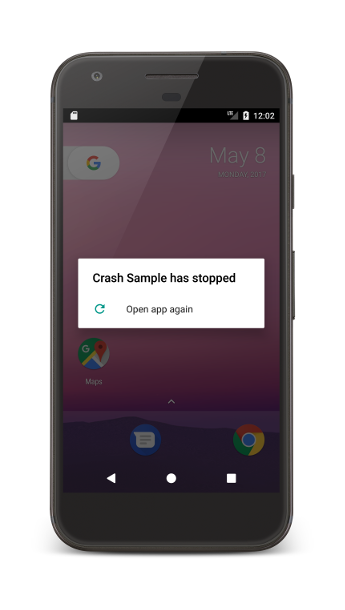
These factors contribute to the frequent crashing of games, emphasizing the need for proactive measures to enhance stability.
Troubleshooting Steps
If you find yourself facing crashes, follow these troubleshooting steps to identify and resolve the issue:
- Restart Your Device: A simple restart can often resolve temporary glitches. Power off your device completely and turn it back on before launching the game again.
- Check for Game Updates: Go to Google Play and ensure your games are updated. Developers may release critical updates designed to fix crashes.
- Clear Cache: Navigate to Settings > Apps > Your Game > Storage > Clear Cache. This can help eliminate any corrupted files causing crashes.
- Free Up Storage: Ensure you have adequate storage space. Delete unused apps or files to make room for your games.
- Uninstall and Reinstall: If all else fails, uninstalling the game and reinstalling it can often resolve persistent crashing issues.
These steps are designed to help you regain control over your gaming experience and minimize disruptions.
Preventative Measures
While troubleshooting can help address immediate concerns, implementing preventative measures will significantly reduce the likelihood of future crashes. Here are best practices to consider:
- Optimize Game Settings: Lowering graphics settings can improve performance, especially on older devices. Adjusting settings like resolution and frame rate can help.
- Regularly Update Your Device: Keeping your Android OS updated is essential. New updates often include performance improvements and bug fixes that can prevent crashes.
- Limit Background Processes: Close any unnecessary apps running in the background before launching your game. This can free up vital resources.
- Use Game Booster Apps: There are various apps available that optimize your device’s performance for gaming, managing resources to prevent crashes.
- Monitor Device Temperature: Overheating can lead to performance issues. Ensure your device is well-ventilated and avoid gaming in hot environments.
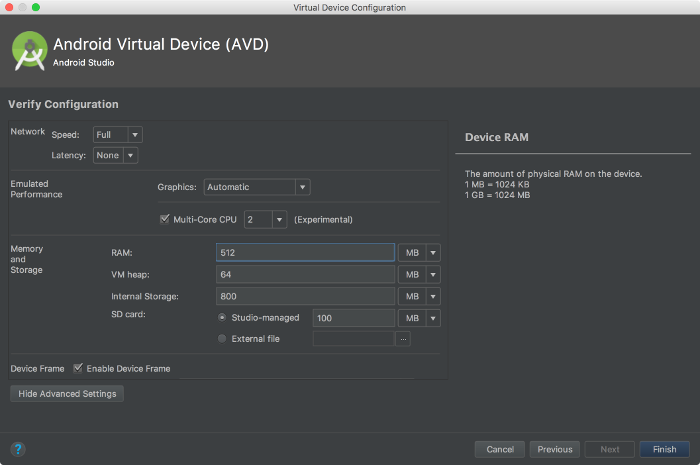
Incorporating these practices into your gaming routine can significantly enhance stability and performance, allowing for uninterrupted gameplay.
FAQs
Here are some frequently asked questions regarding Android game crashes:
- What causes Android games to crash? Various factors can lead to crashes, including hardware limitations, software conflicts, outdated apps, and insufficient storage space.
- How can I prevent my Android game from crashing? Regular updates, optimizing game settings, freeing up storage, and closing background apps can help prevent crashes.
By staying informed and proactive, you can navigate the challenges of mobile gaming in 2026 and enjoy a seamless experience.