Introduction
In the vibrant world of mobile gaming, FPS (frames per second) is a crucial factor that determines the smoothness and responsiveness of gameplay. For gamers in Malaysia, where mobile gaming has exploded in popularity, achieving high FPS on Android devices can significantly enhance the gaming experience. This is where FPS booster apps come into play, offering players the tools they need to optimize performance and enjoy seamless gameplay.

In 2026, a plethora of apps designed specifically to increase FPS on Android devices has emerged, catering to the needs of gamers seeking better performance. Let’s explore the top five FPS booster apps that Malaysian gamers can use to elevate their gaming sessions.
List of Best Apps
Here are the top five apps to increase FPS on Android in 2026, each offering unique features and benefits:
1. Game Booster
Features: Game Booster optimizes your device's resources specifically for gaming, allowing for smoother gameplay by freeing up RAM and terminating background processes.
Pros:
- User-friendly interface
- Customizable settings for different games
- Real-time performance monitoring
Cons:
- May not support all Android devices
- Some features locked behind a premium subscription
2. GFX Tool
Features: GFX Tool allows users to tweak graphics settings for various games, enabling higher FPS by reducing visual effects that can strain the device.
Pros:
- Supports multiple games
- Customizable graphics options
- Free to use
Cons:
- Limited to specific games
- May cause instability if settings are too aggressively optimized
3. Razer Cortex
Features: Razer Cortex is designed for gamers looking to optimize their mobile gaming performance, featuring a game library, performance optimization tools, and a built-in FPS counter.
Pros:
- Comprehensive optimization tools
- Integrated game library
- Free with optional premium features
Cons:
- Interface can be overwhelming for new users
- Some features require an internet connection
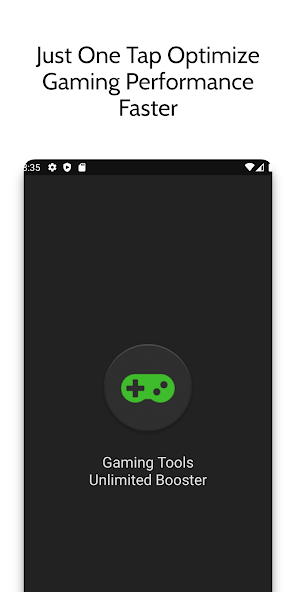
4. Game Booster 4x Faster
Features: This app claims to boost FPS by up to 30% through effective resource management and optimization of system processes.
Pros:
- High boost potential
- Sleek and simple UI
- One-tap optimization
Cons:
- Performance gains can vary by device
- Ads may be intrusive in the free version
5. Panda Game Booster
Features: Panda Game Booster enhances gaming performance by freeing up memory and optimizing CPU usage, making it a solid choice for mobile gamers in Malaysia.
Pros:
- Easy to use
- Real-time performance stats
- Allows for batch optimization
Cons:
- Occasional bugs reported
- Limited features in the free version
How to Use FPS Boosters
To maximize the benefits of FPS booster apps, follow these simple steps:
- Download and Install: Choose one of the recommended FPS booster apps from the Google Play Store and install it on your Android device.
- Launch the App: Open the app and grant any necessary permissions for it to optimize your device.
- Select Your Game: Most FPS boosters allow you to choose specific games you want to optimize. Select the game you intend to play.
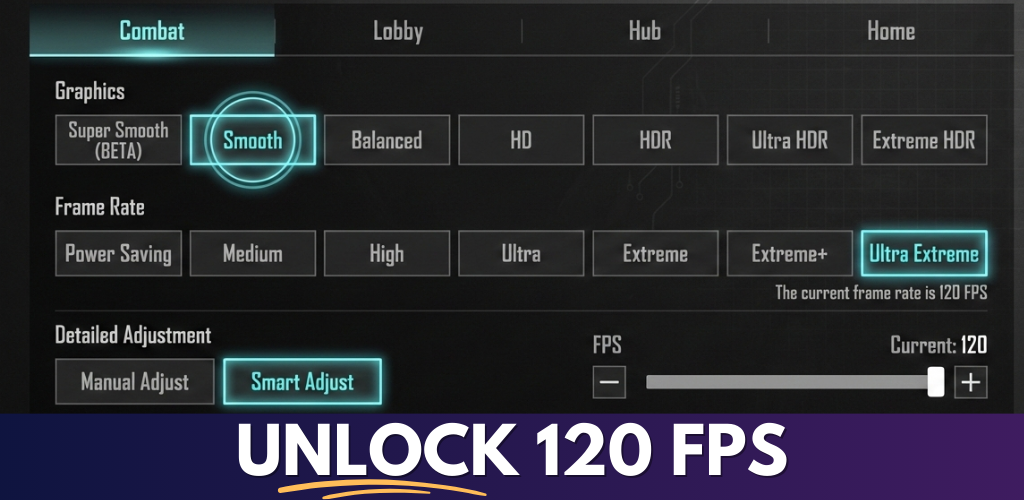
- Adjust Settings: Customize the settings according to your preferences. This may include adjusting graphics, resolution, and FPS limits.
- Start Boosting: Activate the booster and launch your game through the FPS booster app. Monitor performance for any improvements.
User Experiences
Many Malaysian gamers have shared their experiences using FPS booster apps, providing valuable insights into their effectiveness. For instance, a gamer from Kuala Lumpur noted:
"Using Game Booster transformed my experience in PUBG. I went from lagging to smooth gameplay, which made a huge difference in competitive matches."
Similarly, a user from Penang remarked:
"I love GFX Tool! It allowed me to customize graphics settings, which improved my FPS. I can finally enjoy my games without stutters!"
Reviews from users in Southeast Asia indicate that most gamers report smoother gameplay and reduced lag after using these FPS boosters, reinforcing the idea that optimizing settings can lead to significant performance gains.
Conclusion
In the competitive landscape of mobile gaming, utilizing FPS booster apps can make a significant difference in performance. The apps discussed above not only help increase your FPS but also enhance your overall gaming experience on Android devices. Whether you are a casual player or a competitive gamer, trying out these apps can lead to smoother gameplay and improved responsiveness.
As the gaming community in Malaysia continues to grow, optimizing your device with these tools becomes essential. Explore the recommended FPS booster apps, and take your mobile gaming to the next level in 2026!