Introduction
In the vibrant world of mobile gaming, high frames per second (FPS) is a vital component that can dictate the overall gaming experience. In Malaysia, where mobile gaming has surged in popularity, players are increasingly seeking ways to enhance FPS for smoother gameplay. A higher FPS not only makes games more visually appealing but also improves responsiveness, giving players a competitive edge. With the right strategies, you can significantly optimize your gaming performance in 2026.
Understanding FPS
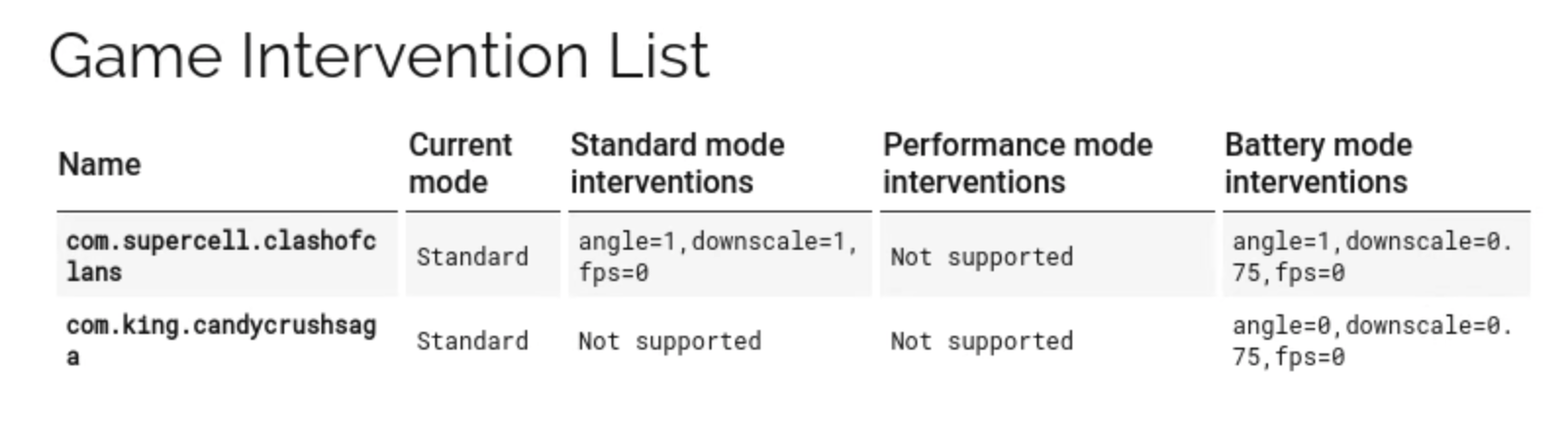
FPS, or frames per second, refers to the number of individual frames or images that your device can render in one second. For mobile gaming, a higher FPS translates to fluid motion and responsiveness, which is crucial for fast-paced games. In 2026, where competitive gaming is on the rise, maintaining a high FPS can be the difference between victory and defeat, especially in popular titles like PUBG Mobile and Mobile Legends: Bang Bang, which have captivated Malaysian gamers.
Settings Adjustments
One of the most straightforward ways to enhance FPS on mobile games is through in-game settings adjustments. Every game usually provides a range of options that can be tweaked to improve performance.
Graphics Settings
Graphics settings play a significant role in FPS optimization. Here are key adjustments you can make:
- Resolution: Lowering the resolution can lead to a notable increase in FPS. While high resolutions offer better visuals, they require more processing power.
- Texture Quality: Reducing texture quality can also help in maintaining a stable FPS. Many games allow you to choose from low, medium, and high textures.
- Frame Rate Settings: Some games allow you to cap or adjust the frame rate. Setting this to a lower limit can stabilize performance on older or less powerful devices.
By tweaking these graphics settings, Malaysian gamers can achieve a smoother gameplay experience, especially in graphics-intensive games.
Background Processes
Another essential factor in FPS optimization is managing background processes. Closing unnecessary apps running in the background can free up system resources, leading to better gaming performance. In Malaysia, where multitasking is common, players often forget to shut down other applications. A quick check before launching your game can make a significant difference.
Software Solutions
In addition to in-game settings, there are various software solutions available that can help optimize gaming performance on mobile devices. These tools are designed to enhance your gaming experience by managing resources more efficiently.
FPS Booster Apps
Many apps claim to boost FPS on mobile devices. Here are a few popular options among Malaysian gamers:
- Game Booster: This app optimizes your device by clearing RAM and stopping background processes, allowing your games to run more smoothly.
- GFX Tool: Particularly useful for games like PUBG Mobile, this app allows for custom graphics settings that can enhance FPS based on your device’s capabilities.
- Dr. Booster: It focuses on freeing up memory and optimizing performance for gaming, ensuring you get the best FPS possible.
While these apps can be effective, it’s essential to read reviews and ensure they're trustworthy before installation.

Hardware Options
The hardware of your mobile device plays a crucial role in determining FPS. While settings and software solutions can help, having a capable device is equally important. In 2026, the gaming industry has seen significant advancements in mobile technology, making it easier for gamers to find devices that meet their needs.
Device Recommendations
Here are some top brands recommended for mobile gaming in Malaysia, known for their high performance:
- Samsung: The Galaxy series, especially the S and Note ranges, are equipped with powerful processors and GPUs, making them ideal for gaming.
- Apple: The iPhone series, particularly the latest models, are known for their seamless performance and optimization in gaming.
- Xiaomi: Models like the Black Shark series are specifically designed for gaming and offer excellent FPS performance.
- OnePlus: Known for their fast performance and OxygenOS, OnePlus devices handle mobile games exceptionally well.
Choosing a device that aligns with your gaming needs can significantly impact your FPS and overall gaming experience.
Final Tips
To maintain optimal FPS while gaming, consider these best practices:
- Regularly update your games and device software to benefit from performance improvements.
- Keep your device clean from unnecessary files and apps that may slow it down.
- Consider using a cooling fan or pad, especially during intensive gaming sessions, to prevent overheating.
By following these strategies, Malaysian gamers can enhance their FPS significantly, leading to an improved and more enjoyable gaming experience in 2026.
FAQs
What settings can improve FPS in mobile games?
Adjusting graphics settings such as resolution and texture quality, and managing background processes can substantially improve FPS.
Are there apps to boost FPS on mobile?
Yes, there are several FPS booster apps like Game Booster, GFX Tool, and Dr. Booster that can help enhance your mobile gaming performance.