What You Need to Know About Game Crashes After Hardware Upgrades in 2026
As the gaming landscape continues to evolve in 2026, many Malaysian gamers are looking to upgrade their hardware to enhance their gaming experience. However, upgrading components can sometimes lead to unexpected issues, such as game crashes. Understanding the common causes and troubleshooting steps can help you get back to gaming without the frustration of crashes. In this guide, we’ll explore the reasons behind game crashes after hardware upgrades and provide you with practical solutions to keep your gaming smooth.
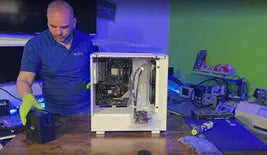
Common Causes of Game Crashes
After a hardware upgrade, several issues can arise that may lead to game crashes. Here are the most common causes:
- Compatibility Issues: One of the primary reasons for game crashes post-upgrade is hardware incompatibility. For instance, a new graphics card may not work well with an outdated motherboard or power supply.
- Insufficient Power Supply: Upgrading to high-performance components often requires more power. If your power supply unit (PSU) is not capable of delivering adequate power, your system may crash or fail to boot.
- Overheating: New hardware can generate more heat than older components. Without proper cooling, your system may overheat, leading to crashes during intense gaming sessions.
- Driver Conflicts: When you upgrade your hardware, the drivers that control these components may not be compatible with the new setup, resulting in crashes or poor performance.
Troubleshooting Steps
Experiencing game crashes after a hardware upgrade can be frustrating, but there are several troubleshooting steps you can take to resolve these issues:
- Check Connections: Ensure that all cables and components are securely connected. Loose connections can lead to instability.
- Monitor Temperatures: Use software to monitor the temperatures of your CPU and GPU. If they are running too hot, consider improving your cooling system.
- Run Diagnostic Tools: Many PC manufacturers provide diagnostic tools that can help identify hardware issues. Run these tools to check for problems.
- Revert to Previous Configuration: If crashes persist, consider reverting to your previous hardware setup temporarily to determine if the new components are the issue.
By systematically going through these troubleshooting steps, you can identify the root cause of the crashes and take appropriate action to resolve them.
Checking Hardware Compatibility
Before upgrading your hardware, it’s crucial to ensure that the new components are compatible with your existing system. Here are some tips to check compatibility:
- Research Specifications: Check the specifications of your motherboard, CPU, and power supply. Look for compatibility lists on manufacturer websites to confirm that new components will work together.
- Use Compatibility Checkers: Websites like PCPartPicker allow you to build a virtual PC and will warn you about compatibility issues between components.
- Consult the Community: Join Malaysian gaming forums or social media groups to seek advice from other gamers who have experience with similar upgrades.
Ensuring compatibility can save you significant time and frustration down the line, preventing those annoying game crashes.
Updating Drivers
After any hardware upgrade, updating your drivers is essential. This step is crucial for maintaining system stability and performance. Here’s why keeping your drivers updated matters:
- Enhanced Performance: New drivers often come with optimizations that enhance the performance of your upgraded components, ensuring they run smoothly.
- Bug Fixes: Manufacturers regularly release updates to fix bugs and improve the stability of their drivers. These updates can resolve conflicts that lead to game crashes.
- Compatibility with New Games: New games may require updated drivers to function correctly. Keeping your drivers current ensures you can play the latest titles without issues.
To update your drivers, visit the websites of your graphics card manufacturer (NVIDIA or AMD) or your motherboard manufacturer (for integrated graphics). Regularly check for updates, especially after hardware changes.
User Experiences
Many gamers have faced the dreaded game crash after upgrading their hardware. Here are a few experiences shared by members of the Malaysian gaming community:
- Ahmad, 24: "After upgrading my graphics card, my games kept crashing. I realized my PSU was not powerful enough. After upgrading to a higher wattage PSU, everything worked perfectly!"
- Farah, 27: "I didn’t think about driver updates after my CPU upgrade. Once I updated my drivers, my game performance improved drastically, and crashes stopped."
- Ravi, 22: "I always check compatibility lists before upgrading. When I tried to switch my RAM, I ended up with crashes because the new RAM wasn’t compatible with my motherboard. Lesson learned!"
These anecdotes highlight the importance of careful planning and troubleshooting when upgrading hardware. It’s not uncommon to face challenges, but with the right knowledge and steps, you can overcome them.
FAQs
What to do if a game crashes after upgrading?
If your game crashes after a hardware upgrade, start by checking all connections and ensuring everything is seated correctly. Monitor temperatures and run diagnostic tools. If issues persist, consider reverting to your previous setup to identify the cause.
How to prevent game crashes after hardware upgrades?
To prevent crashes, research compatibility before upgrading and ensure your power supply can handle the new components. Always update your drivers after any hardware changes, and monitor system temperatures to avoid overheating.
Upgrading hardware can significantly enhance your gaming experience, but it’s essential to be aware of the potential pitfalls. By following the steps outlined in this guide, you’ll be well-equipped to handle any game crashes that may arise from hardware upgrades. Happy gaming!