Introduction
For gamers in Malaysia, experiencing crashes while playing Android games can be incredibly frustrating. Whether you’re engrossed in an epic battle or racing through the streets of your favorite game, nothing disrupts the fun quite like an unexpected crash. These interruptions can lead to lost progress and a significant drain on your gaming experience. Luckily, there are effective methods to fix Android game crashes without rooting your device, preserving your warranty and keeping your device intact.
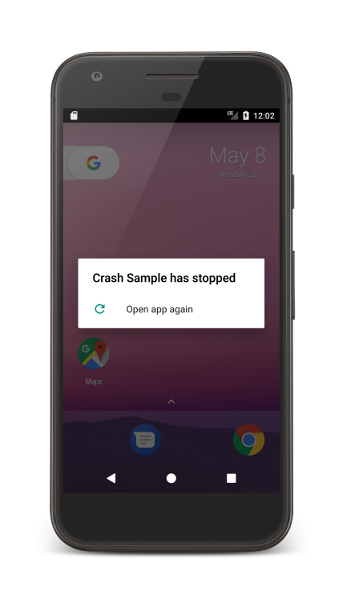
Common Causes of Crashes
Understanding the reasons behind Android game crashes is vital in addressing the issue effectively. Some of the most common causes include:
- Cache Issues: Over time, accumulated cache can hinder app performance. In fact, clearing the cache can resolve around 50% of game crashes, making it one of the simplest solutions.
- App Updates: Software updates are crucial for enhancing game stability. Failing to update games can result in incompatibility with the latest operating system features, leading to crashes.
- Device Performance: If your device is running low on memory or processing power, it can struggle to run demanding games, leading to crashes. Reports indicate that over 70% of Android games experience crashes due to inadequate device memory.
By recognizing these factors, Malaysian gamers can take preemptive steps to enhance their gaming experience and minimize disruptions.
Troubleshooting Steps
If you find yourself facing frequent crashes, there are several troubleshooting methods you can implement to resolve the issue effectively. Here’s a step-by-step guide:
- Clear the Cache: Navigate to your device's settings, select 'Apps', find the game in question, and tap on 'Storage'. From there, choose 'Clear Cache'. This simple action can significantly enhance game performance.
- Check for App Updates: Regularly updating your games is essential. Open the Google Play Store, go to 'My apps & games', and update any games that require it. Keeping your apps up to date can reduce crash incidents.
- Optimize Device Performance: Close unnecessary background applications to free up memory. You can also consider uninstalling apps that you do not frequently use. Additionally, consider using performance-boosting apps available in the Play Store, which can enhance your device’s overall speed.
- Reinstall the Game: If the previous steps don’t resolve the issue, try uninstalling and then reinstalling the game. This can clear out corrupted data that might be causing crashes.
Implementing these troubleshooting methods can enhance your gaming experience and reduce the likelihood of crashes.

Preventive Measures
To avoid future crashes, it is essential to adopt some preventive measures:
- Regular App Maintenance: Make it a habit to clear cache and check for app updates frequently. This routine can help maintain optimal performance and prevent crashes.
- Consider Hardware Upgrades: If your device consistently struggles with performance, it might be time to consider upgrading. Devices with better RAM and processors can handle more demanding games without crashing.
- Monitor Storage Space: Always keep an eye on your device’s storage. Ensure that there is adequate space available to allow apps to function smoothly. A good rule of thumb is to keep at least 15% of your device’s total storage free.
By following these preventive measures, you can significantly enhance your gaming experience and reduce the chances of crashes in the future.
Conclusion
Dealing with Android game crashes can be frustrating, but understanding the common causes and implementing effective troubleshooting methods can make a significant difference. By clearing cache, checking for app updates, and optimizing your device’s performance, Malaysian gamers can enjoy a more seamless gaming experience without the need to root their devices. Remember to stay proactive in maintaining your apps and device to prevent future crashes. Happy gaming!
FAQs
- Why do my Android games keep crashing? Android games often crash due to cache issues, lack of memory, or outdated applications. Keeping your apps updated and clearing cache regularly can help.
- How can I improve game performance on my Android device? To improve game performance, clear your cache, uninstall unused apps, close background applications, and ensure your device has sufficient storage space.