Introduction
In the bustling gaming community of Malaysia, creating engaging and accessible gameplay videos is essential for content creators looking to build an audience. One of the most effective ways to enhance viewer engagement is by adding subtitles to your videos. Subtitles, or captions, can significantly increase viewer retention, with studies showing that they can boost engagement by up to 80%. This is especially crucial for gamers who stream on platforms like YouTube and Twitch, where clear communication can make or break a viewer's experience. Additionally, subtitles help reach a wider audience, including those with hearing impairments, making your content more inclusive.
Tools You Can Use
There are numerous subtitling tools available that cater to all skill levels, from beginners to advanced video editors. Here’s an overview of some popular options that Malaysian gamers can consider:
- Adobe Premiere Pro: A professional-grade video editing software that offers advanced subtitling features. It's ideal for those who want complete control over the appearance and timing of their subtitles.
- Camtasia: This user-friendly tool is perfect for beginners. Camtasia allows you to easily add captions and offers a variety of export options, making it a favorite among Malaysian content creators.
- Kapwing: An online video editor that provides automatic subtitle generation. It’s great for quick edits and allows you to collaborate with others easily.
- Subtitles Translator: A free tool that helps you create and edit subtitle files (.srt format). It's straightforward and works well for those who prefer to manually input their subtitles.
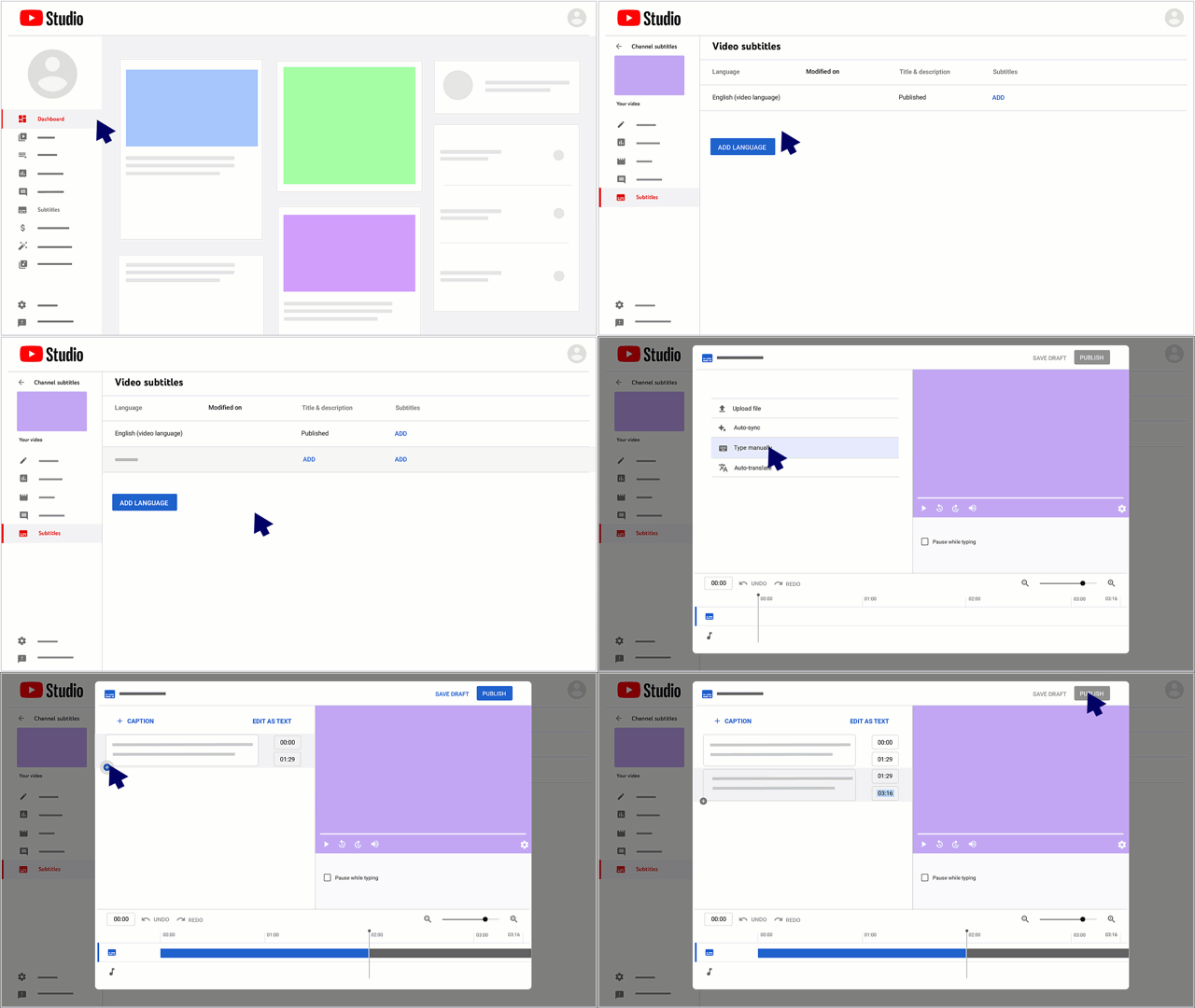
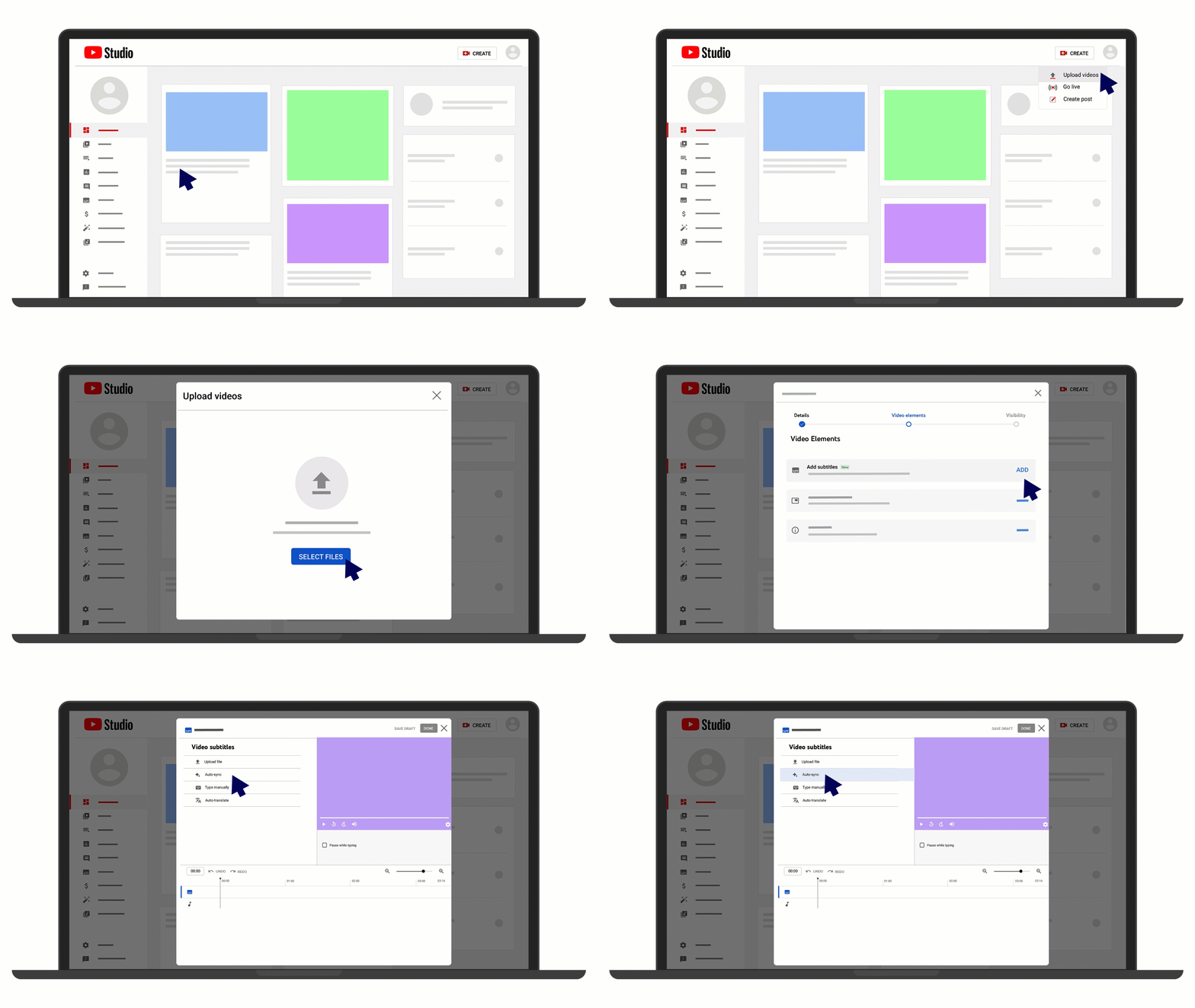
- YouTube's Automatic Captions: For gamers who upload their content directly to YouTube, the platform offers automatic captioning, which can save time and effort. However, it’s worth reviewing and editing these captions for accuracy.
Step-by-Step Guide
Adding subtitles to your gameplay videos can be a straightforward process. Here’s a detailed guide on how to do this using various tools:
Using Adobe Premiere Pro
- Import your gameplay video into Adobe Premiere Pro.
- Go to the 'Window' menu and select 'Captions'.
- Click on 'New Caption Track' and choose the format you prefer.
- Type your subtitles in the provided sections, adjusting the timing as necessary.
- Once finished, export your video with the subtitles embedded.
Using Camtasia
- Open Camtasia and import your gameplay footage.
- Click on 'Captions' in the toolbar.
- Choose 'Add New Caption' and enter your text.
- Customize the style and timing of the captions to match your video.
- Export your final video with subtitles included.
Using YouTube’s Automatic Captions
- Upload your gameplay video to YouTube.
- Go to the video settings and select 'Subtitles'.
- Enable 'Automatic Captions' and wait for the processing to finish.
- Review the autogenerated captions and manually edit any inaccuracies.
Tips for Better Subtitling
To ensure your subtitles enhance the viewer's experience, consider the following tips:
- Keep it concise: Aim for short sentences that are easy to read. This is crucial during fast-paced gameplay, where viewers may not have time to read long captions.
- Synchronize with audio: Make sure your subtitles match the timing of the spoken dialogue or sound cues in the game. This will improve the overall viewing experience.
- Choose legible fonts: Use clear, sans-serif fonts and ensure your text stands out against the video background. A contrasting color can help with readability.
- Include essential sound effects: If there are important sound cues in the game, consider adding descriptions in your subtitles (e.g., “[Gunfire]”).
- Test on multiple devices: Check how your subtitles appear on different screen sizes, such as mobile devices and laptops, to ensure they are readable for all viewers.
Conclusion
As the Malaysian gaming community continues to grow, incorporating subtitles into your gameplay videos is not just a trend but a necessity. Whether you’re using professional tools like Adobe Premiere Pro or taking advantage of YouTube's automatic captioning, the benefits of subtitles are clear. Not only do they make your content more accessible, but they also enhance viewer engagement and retention. By following the steps and tips outlined in this guide, you can elevate your video content and reach a broader audience. Start adding subtitles today and watch your gaming videos transform!