Understanding Network Errors
In the vibrant world of online gaming, network errors can be a gamer’s worst nightmare. These disruptions can lead to frustrating game crashes, not only ruining the experience but also affecting the overall performance of the games we love. In Malaysia, where online gaming has surged in popularity, understanding and managing network errors has become an essential skill for players. Network errors occur when there is a failure in the communication between your gaming device and the game server, often resulting in sudden disconnections or crashes during gameplay.
In Southeast Asia, including Malaysia, where many gamers connect through various internet service providers, the impact of network errors can be more pronounced. Factors such as fluctuating internet speeds, server overloads, and even geographical distance from data centers can contribute to these frustrating interruptions. Thus, pinpointing the cause of a network error is crucial for maintaining a smooth gaming experience.
Common Causes of Game Crashes
Game crashes can stem from various sources, and recognizing these can help in efficiently addressing the issue. Here are some common culprits:
- Network Instability: Frequent drops in connection or slow speeds can lead to network errors, causing games to crash unexpectedly.
- Server Issues: Overloaded or down game servers can lead to disconnects, particularly during peak gaming hours when many players are online.
- Hardware Limitations: Sometimes, the gaming device itself may struggle to keep up with demanding games, leading to crashes that may be misattributed to network issues.
It’s reported that network issues account for a staggering 70% of game crashes. This statistic highlights the importance of understanding the network environment in which you’re gaming. Additionally, game clients like Steam, Epic Games, and consoles like PlayStation and Xbox can also experience crashes due to network errors, particularly when trying to connect to their respective online services.
Troubleshooting Steps
Identifying the root cause of a network error is the first step towards solving it. Here’s a step-by-step guide to troubleshoot network errors affecting your gaming experience:
- Check Your Internet Connection: Ensure that your internet connection is stable. You can run a speed test to determine your current bandwidth and latency.
- Restart Your Router: Power cycling your router can often resolve connectivity issues, refreshing the connection to your Internet Service Provider (ISP).
- Check Game Server Status: Before diving into troubleshooting your network, check the status of the game servers you’re trying to connect to. Websites like DownDetector can provide real-time updates.
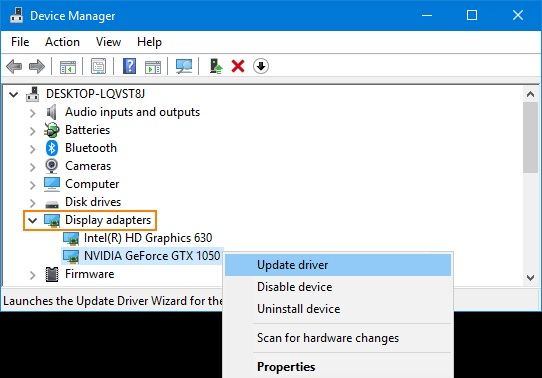
- Update Network Drivers: Outdated network drivers can lead to compatibility issues. Ensure your network adapter drivers are up to date.
- Close Background Applications: Applications running in the background can consume bandwidth and resources. Close any unnecessary applications to free up your connection.
Solutions for Network Issues
Once you’ve identified the problem, implementing effective solutions can significantly improve your gaming experience. Here are some actionable solutions to resolve network errors:
- Optimize Network Settings: Tweaking your router settings, such as Quality of Service (QoS) settings, can prioritize gaming traffic over other types of internet usage. This optimization can improve gaming performance by up to 50%.
- Use a Wired Connection: Whenever possible, connect your gaming device directly to the router using an Ethernet cable. Wired connections are generally more stable than wireless ones.
- Choose the Right Server: Many games allow you to select a server region. Opt for servers that are geographically closer to you to reduce latency.
- Utilize VPN Services: In some cases, using a VPN can help bypass ISP throttling and improve connection stability, especially for online gaming.
- Switch Gaming Platforms: If you frequently experience issues on a specific platform, consider switching to another. Platforms like Steam, Epic Games, PlayStation Network, and Xbox Live often have different stability levels depending on your location.
FAQs
What causes network errors in games?
Network errors in games can be caused by a variety of factors, including poor internet connection, server overload, high latency, or hardware limitations. In many cases, it is a combination of these elements that leads to disruptions in gameplay.
How do I troubleshoot game crashes?
Troubleshooting game crashes involves checking your internet connection, restarting your router, verifying the status of game servers, updating necessary drivers, and closing any background applications that may interfere with your gaming experience. Following a systematic approach can help identify and resolve the issues efficiently.
By understanding network errors and their common causes, Malaysian gamers can take proactive steps to minimize disruptions. With the right troubleshooting skills and solutions, you can enjoy a seamless gaming experience in 2026.