Why Your Game Crashes on Certain Levels: Causes and Solutions
In the vibrant Malaysian gaming community, nothing can be more frustrating than encountering game crashes, particularly on certain levels. Whether you're deep into a battle in Dota 2 or exploring the vast worlds of Genshin Impact, these unexpected disruptions can hinder your gaming experience. This guide explores the common causes of game crashes, effective troubleshooting steps, user experiences, and the importance of patch updates.
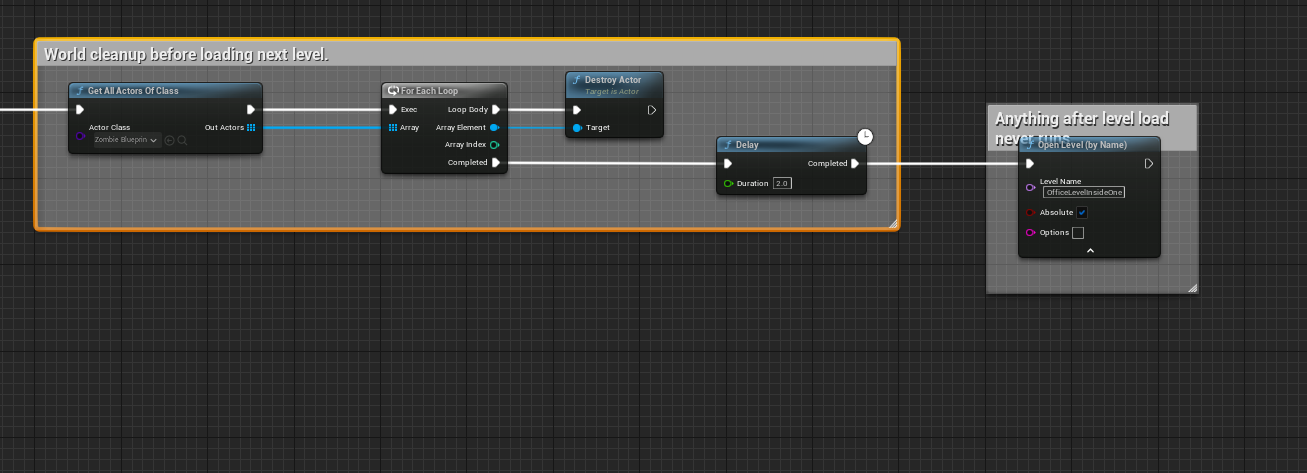
Common Causes of Game Crashes
Game crashes often stem from a variety of factors. In 2026, as gaming technology advances, it’s essential to understand these causes, especially for Malaysian gamers who strive for the best gaming experience.
- Software Bugs: One of the most prevalent issues is software bugs. Developers sometimes release games with unresolved errors that can trigger crashes, especially in more complex levels. These bugs can range from minor glitches to significant flaws that render a level unplayable.
- Hardware Limitations: Malaysian gamers may encounter crashes due to outdated hardware. Mobile gamers using older devices might find that their systems struggle to handle graphically intense games, particularly during specific scenes or levels designed to push performance limits.
- Level-Specific Issues: Certain levels might have unique bugs or design flaws that lead to crashes. For instance, a particular quest in a role-playing game might not trigger properly, leading to a crash when players attempt to progress.
As you can see, understanding these common causes can help gamers in Malaysia identify why their favorite games might not be running smoothly. Keeping an eye on patch notes and community feedback can also alert players to recurring issues on specific levels.
Troubleshooting Steps
When faced with game crashes, knowing how to troubleshoot can save you from hours of frustration. Here are some actionable steps Malaysian gamers can take:
- Check System Requirements: Before diving into a game, ensure your hardware meets the minimum system requirements. Many games have specific requirements for different levels, particularly those with high-definition graphics.
- Clear Cache: Clearing your game cache can resolve various issues, including crashes. This process removes temporary files that may be corrupted or outdated.
- Update Drivers: Keeping your graphics and system drivers updated can significantly enhance performance and stability. Outdated drivers can lead to compatibility problems, especially in graphics-heavy games.
- Reinstall the Game: If all else fails, reinstalling the game can resolve persistent crashes. This process ensures that you have the latest version and all necessary files are intact.
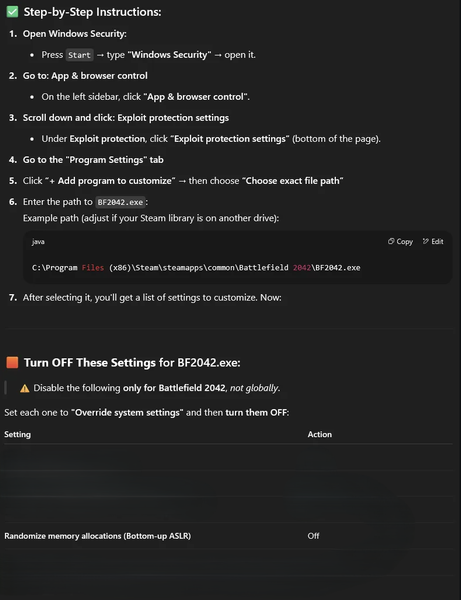
These troubleshooting steps not only help in resolving crashes but also improve overall game stability. Regularly performing these checks can keep your gaming experience smooth, especially during crucial moments in gameplay.
User Experiences
The Malaysian gaming community is rich with experiences regarding game crashes. Players often share their stories on forums, social media, and streaming platforms, shedding light on specific issues. For instance, a popular local streamer noted that Call of Duty: Warzone frequently crashed during intense multiplayer matches, particularly on the Verdansk map. This issue led to widespread frustration among players who relied on teamwork to succeed.
Another gamer shared their experience with Final Fantasy XIV, where a particular raid encounter consistently caused crashes for several players. They discovered that the game had a known bug, which the community discussed extensively on Reddit and local gaming forums. Such user feedback is invaluable as it often leads to developers addressing these issues more promptly through updates.
In Malaysia, where gaming is a communal activity, these shared experiences foster a collaborative spirit. Gamers often come together to find solutions, discuss workarounds, and even report bugs directly to developers, ensuring a more stable gaming environment for everyone.
Patch Updates
Developers are continuously working to improve game stability through regular patch updates. In 2026, it’s crucial for gamers to stay informed about these updates, as they often address known issues, including game crashes on specific levels. Patch notes typically detail fixes and enhancements, providing insight into what has been resolved or improved.
For instance, a recent patch for Apex Legends not only improved overall game performance but also resolved a crash issue that occurred during a specific event. This responsiveness from developers highlights the importance of keeping games up to date to prevent potential crashes.
Malaysian gamers should regularly check for updates and read patch notes thoroughly. This practice not only helps in keeping your game stable but also ensures that you’re aware of any new features or changes that might enhance your gaming experience.
FAQ
Why does my game crash on certain levels?
Your game may crash on certain levels due to software bugs, hardware limitations, or level-specific issues that disrupt gameplay. Keeping your system updated and following troubleshooting steps can help mitigate these problems.
How can I prevent game crashes?
To prevent game crashes, ensure your system meets the game's requirements, regularly clear your cache, update your drivers, and keep your game patched with the latest updates. Engaging with community feedback can also provide insights into recurring issues.
In conclusion, understanding why game crashes occur on certain levels is crucial for a seamless gaming experience. By following the troubleshooting steps outlined, actively participating in the community, and keeping your games updated, Malaysian gamers can minimize disruptions and enjoy their gaming adventures to the fullest.